Huawei · London HMI Laboratory · July 2025
Huawei AI Assistant – Celia
An intent-first generative AI assist experience across Huawei's ecosystem.
The Intent-first Experience explores how people could ask an AI system to complete goals instead of navigating each application themselves. Celia turns an intent into a goal with actionable tasks, drawing on services across the ecosystem.
- Project
- Intent-first Experience / Celia AI
- My role
- First and sole designer for the initial user research and UI design; collaborated with Huawei HQ engineers on handoff
- Discipline
- Product Design, UX/UI, Generative UI, Human–AI Interaction
Intents, Goals and Tasks
The Intent-first System provides the underlying model. The Intent-first Experience is the interface through which people express an intent, shape a goal and act on its tasks.
Three ways
Opportunistic
Likely parameters appear from context and preferences. “Arrange a holiday to Turkey” could populate dates from calendar availability, while leaving them editable. The presentation calls this “a conversation without words, but instead interface”.
Proactive
Signals, routines and predicted needs can surface timely goals before the user explicitly defines them.
Suggestive
When an intent is incomplete or hard to express, multimodal exploration helps the user discover and define it.
Goal-based interfaces
The screen is a projection of the goal, its decomposition into tasks, its current state and its place in time. The underlying system operates across Huawei's ecosystem as a service; the experience appears wherever an intent is relevant.
Celia's interface
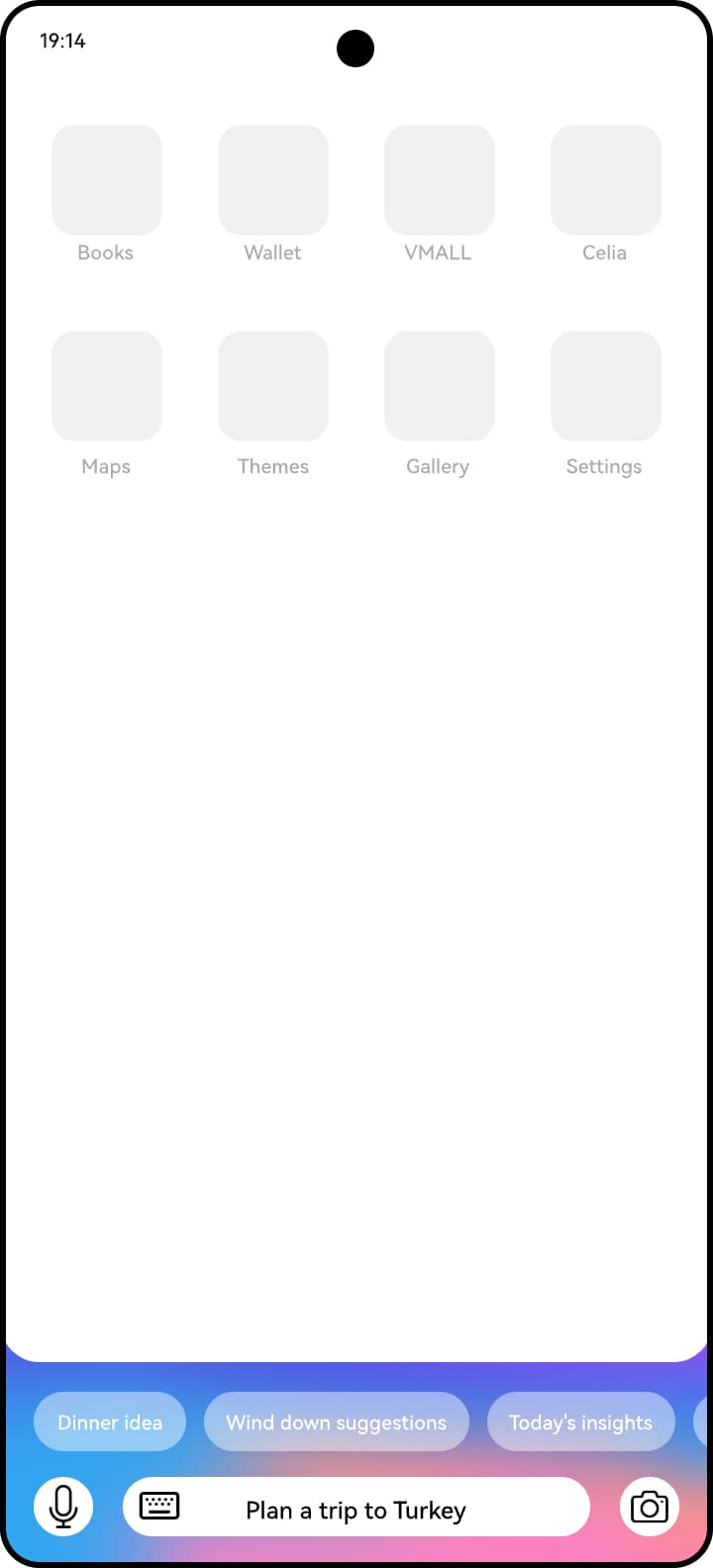
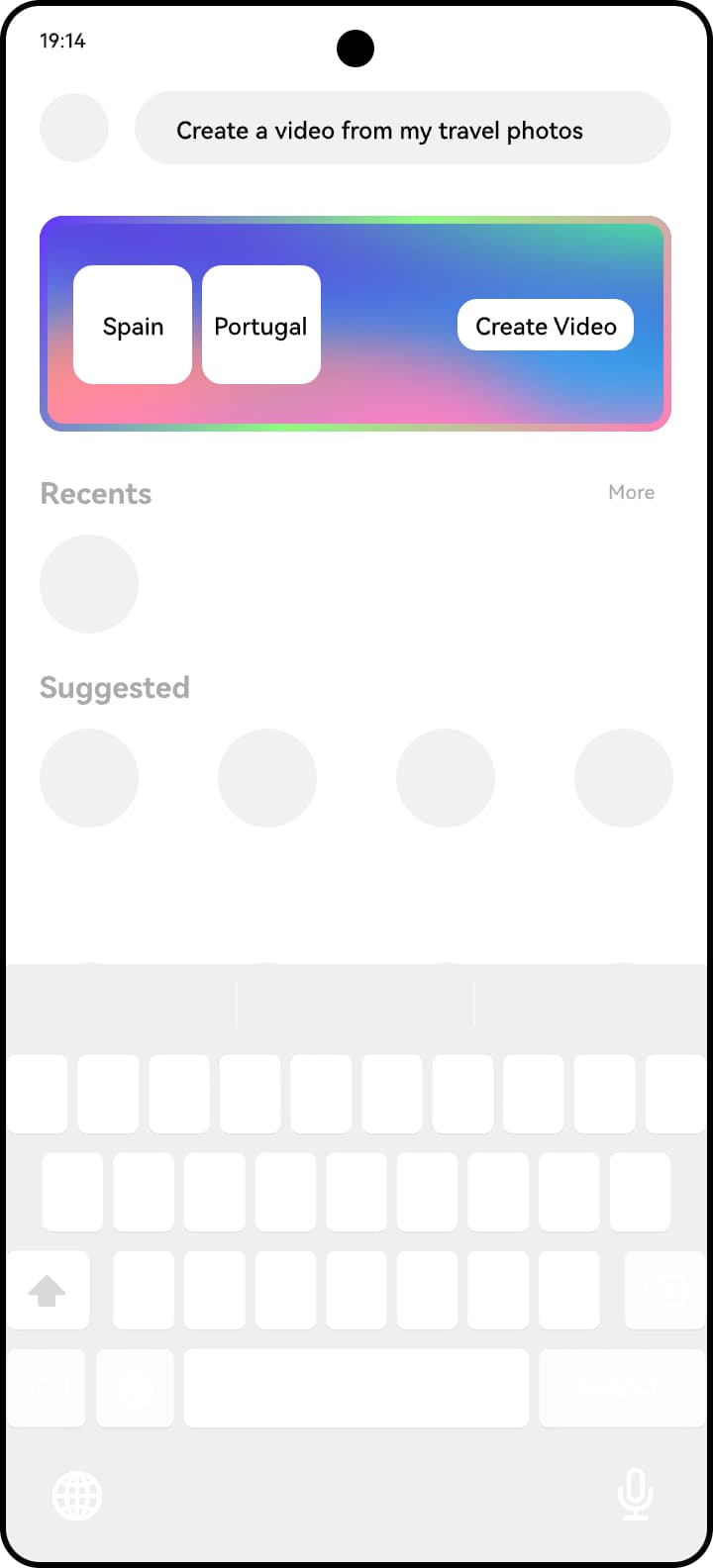
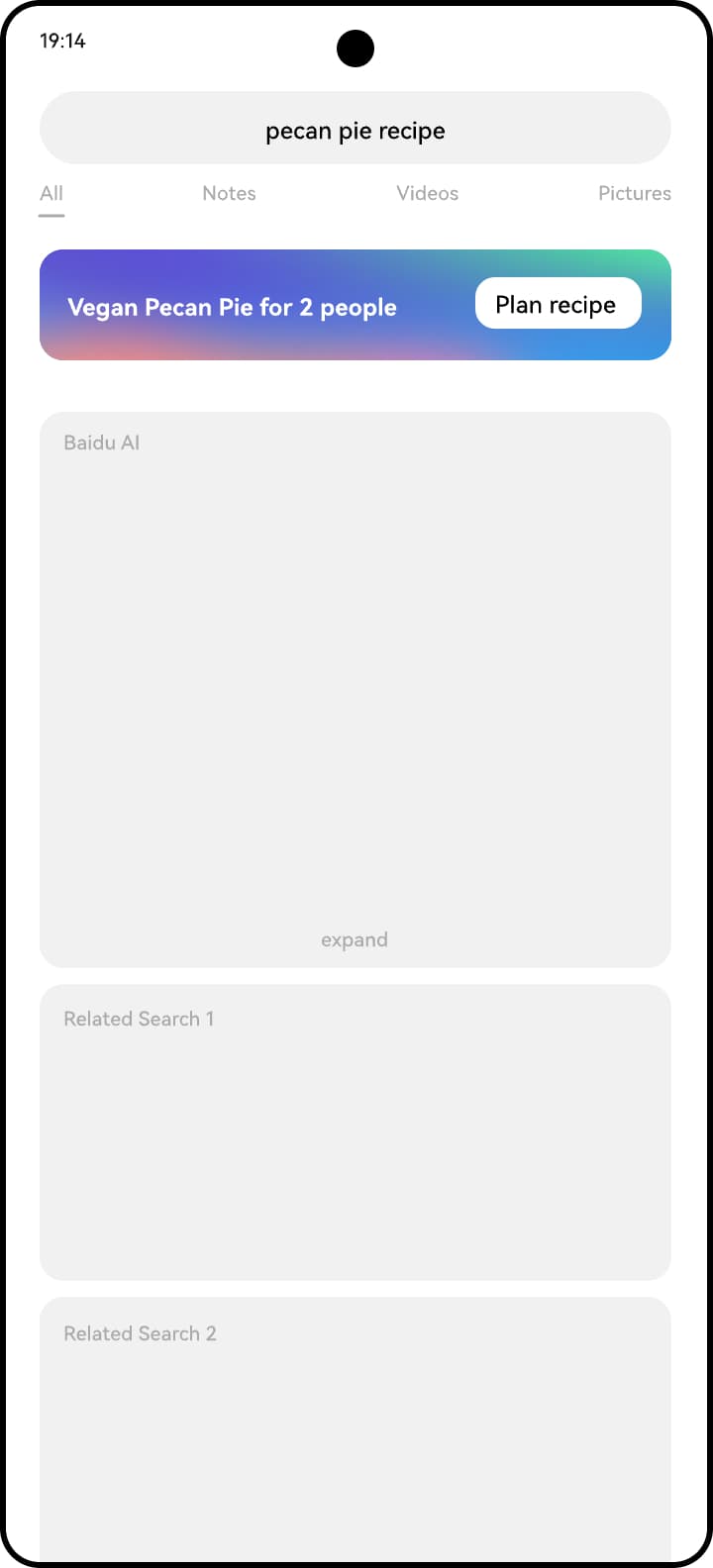
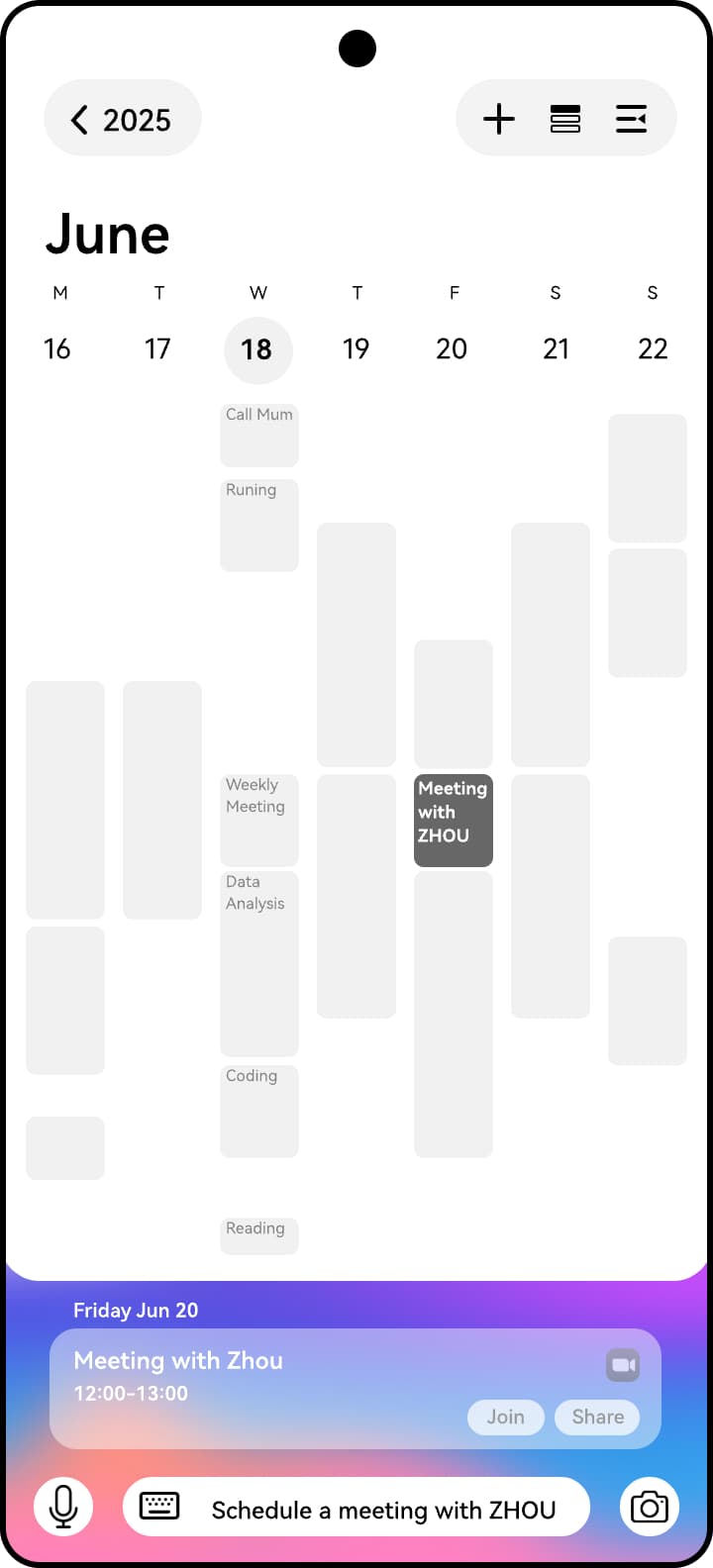
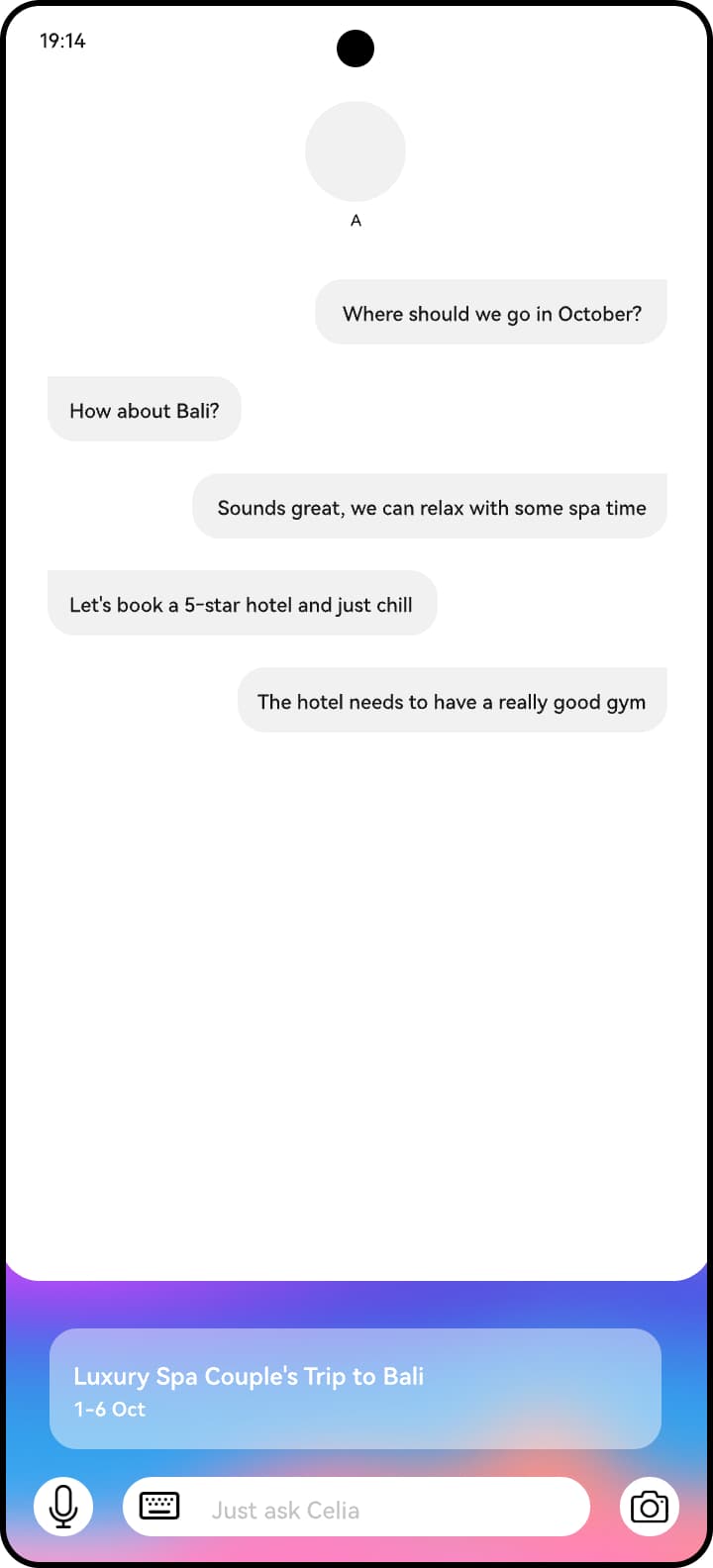
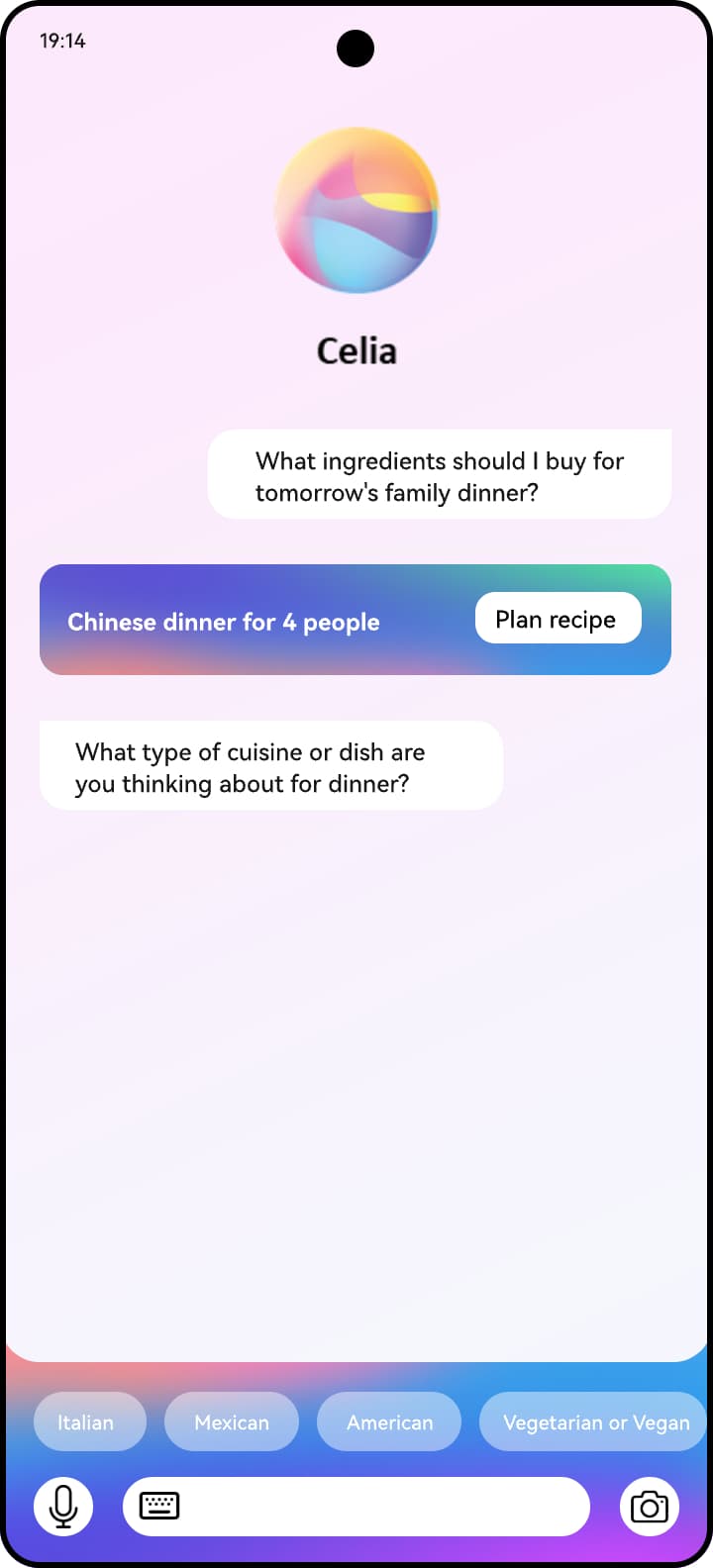
The proposed Celia AI draw remains available across screens. It brings together typing, speech, camera input and contextual suggestions. Its gradient changes colour and form as digital body language, while leaving the content on screen in view.
Digital Body Language
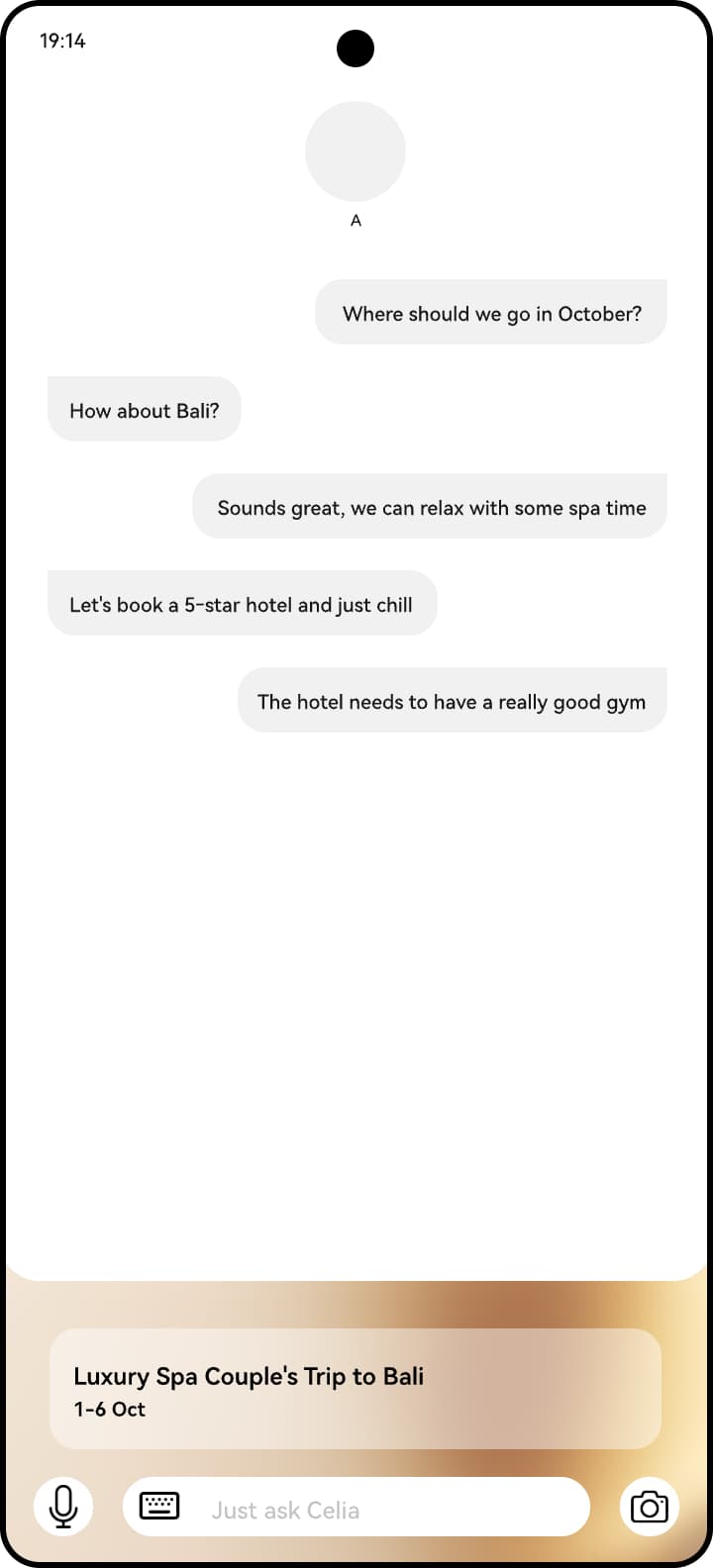
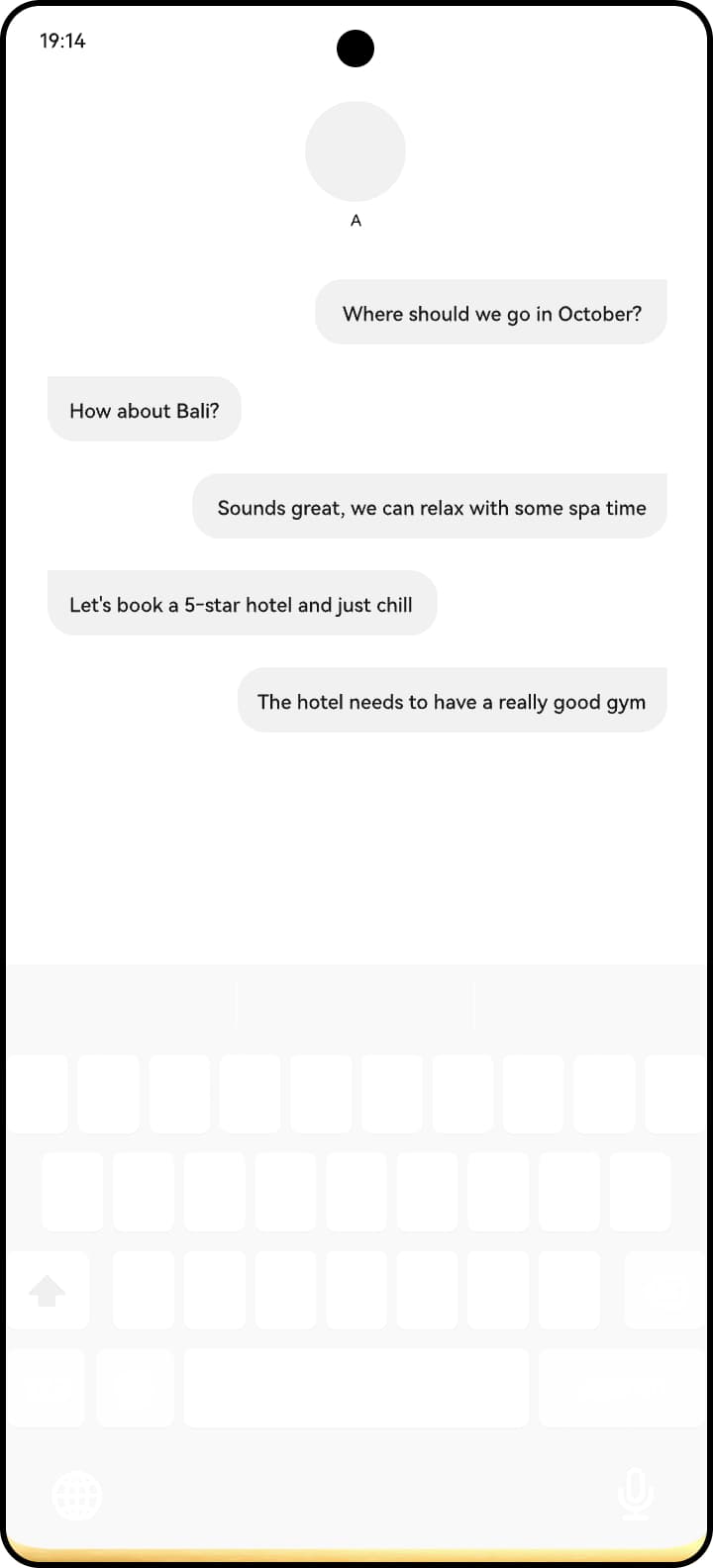
Intent-level suggestions can appear as short text. Goal-level suggestions can become components. A high-confidence suggestion opens the draw slightly in gold; interacting with it reveals the proposed goal.
Explore, Goal and Teach
The Celia AI app is proposed around completing goals. Explore helps people define an intent, Goal manages active work, and Teach learns preferences through simple questions. Conversational chat remains available. Recognised intents can introduce interactive components; Celia may coordinate other agents, support capability discovery and use speakable UI with on-screen awareness.
Explore and Goal
Goal Creation accepts both incomplete and fully described intents. The system resolves missing parameters through an instantiation component, then generates a goal whose tasks and attributes remain editable.
Explore: an infinite canvas
People begin with six verbs or enter from a phrase, photograph, text snippet, incoming message, operating system search, first-party app or notification. Moving across the canvas reveals related possibilities; continuing in a direction adds detail. As the intent becomes more concrete, the shapes grow larger and more regular. Preferences and high-confidence suggestions influence the options.
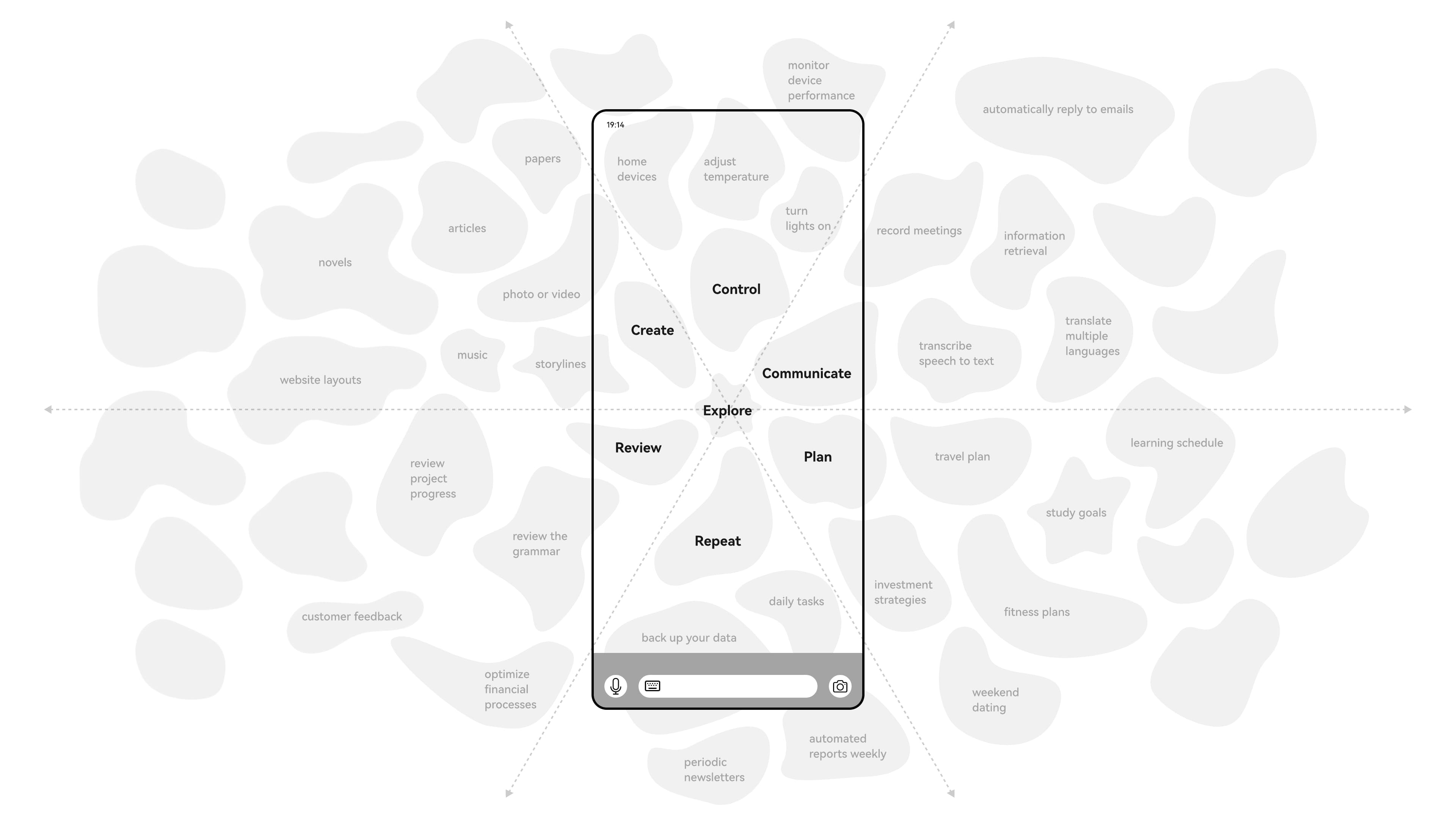
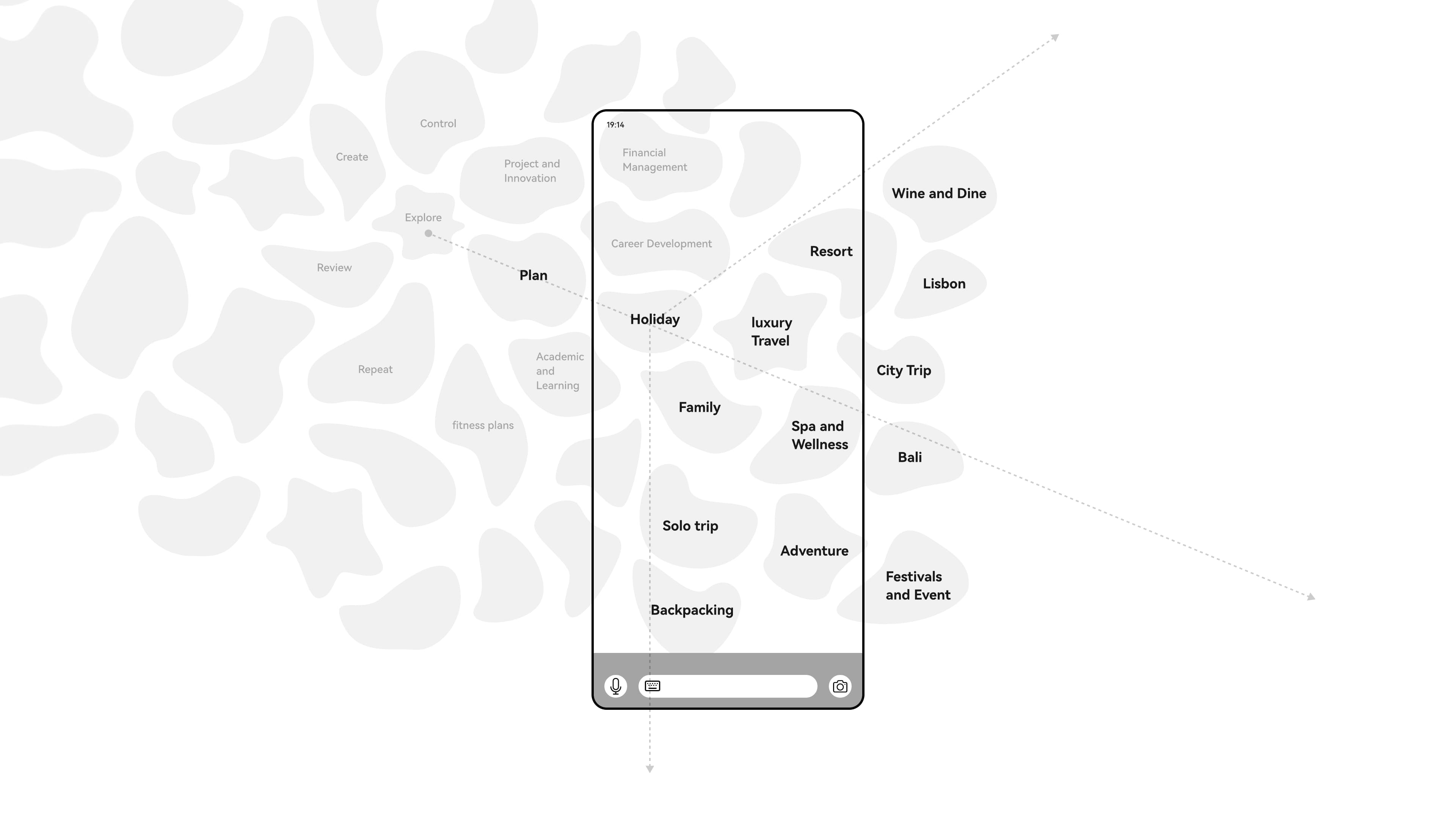
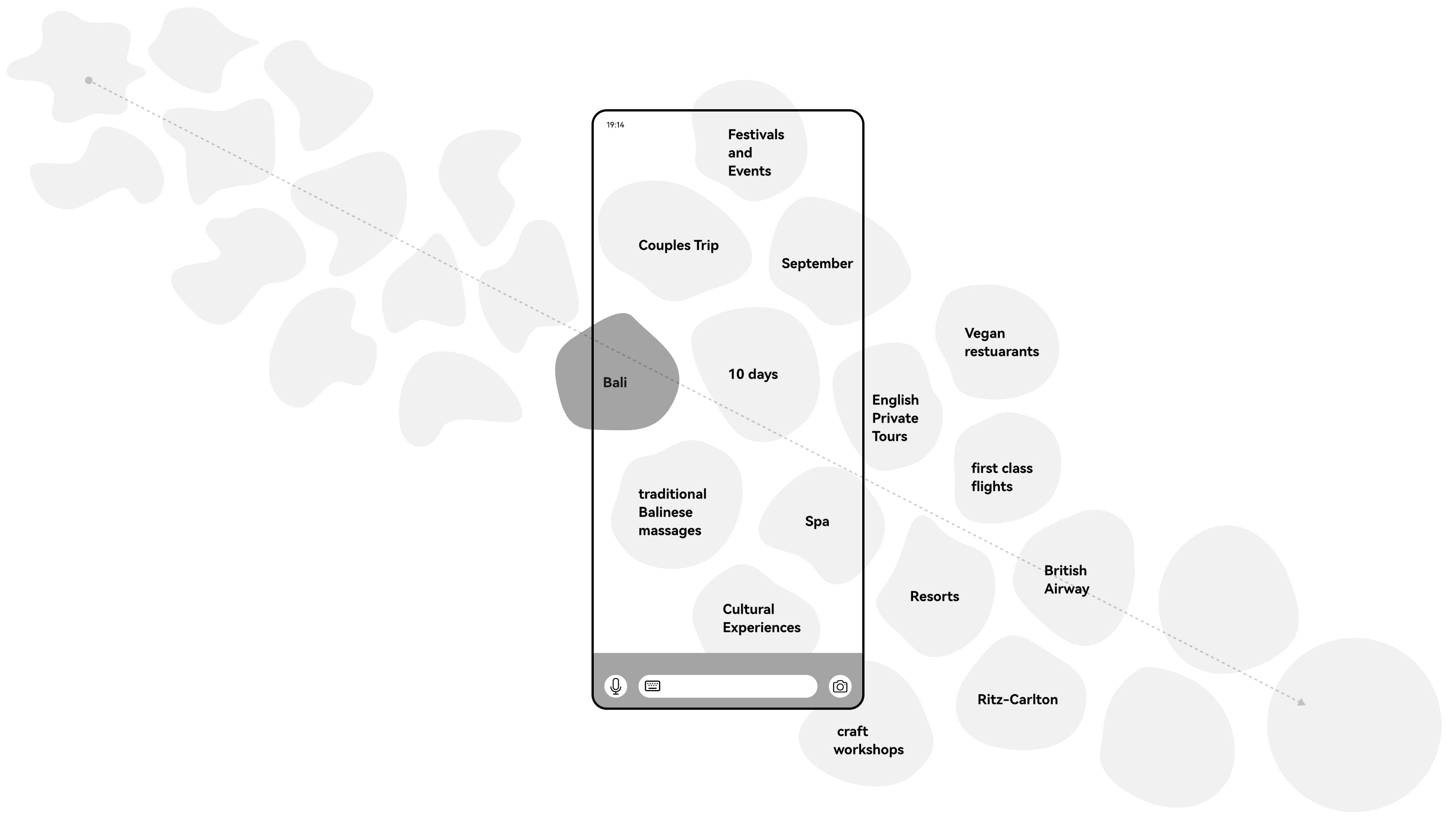
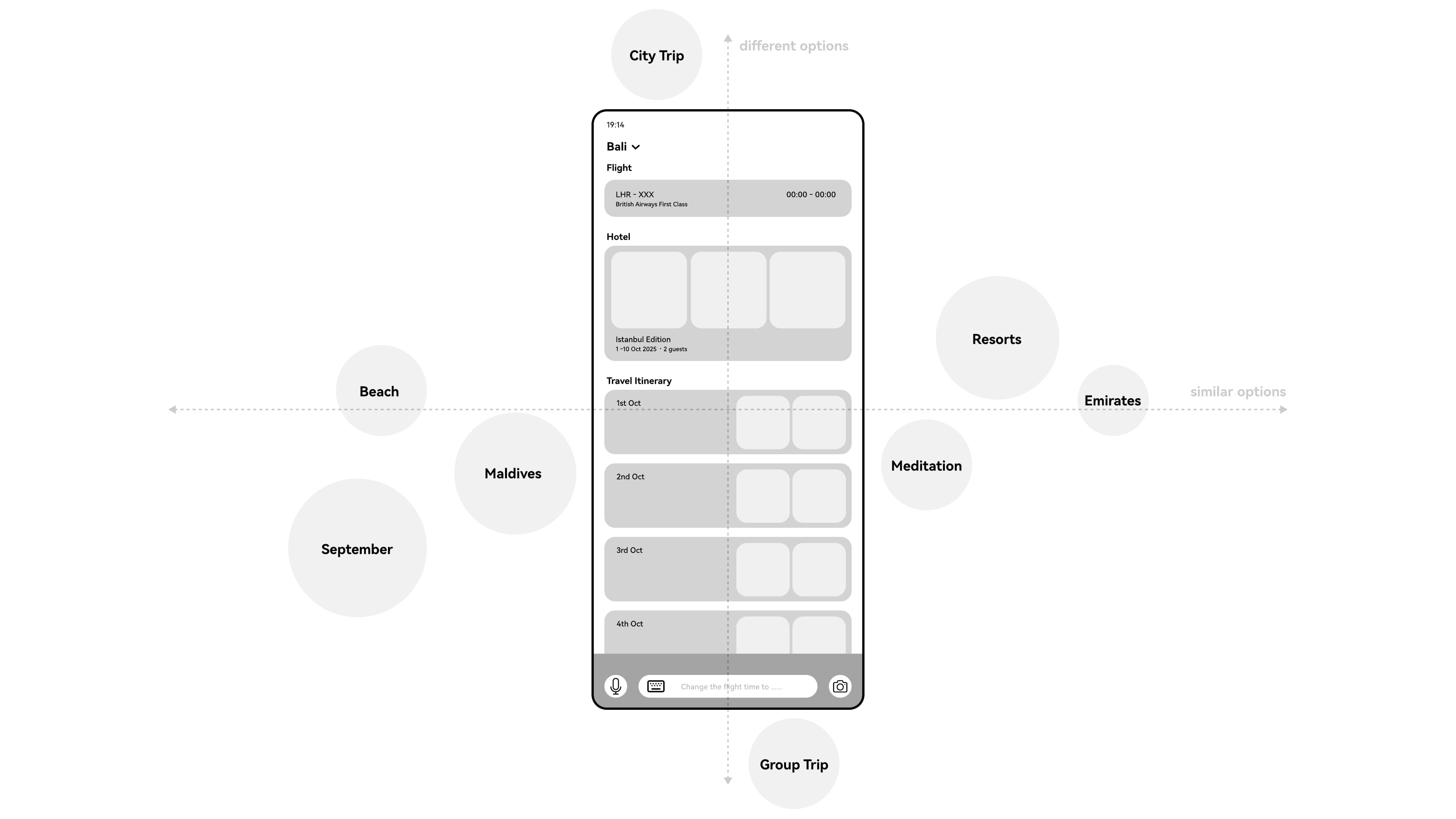
The spoken example develops in the same order: “I want a holiday… a luxury getaway… for two weeks… in August.” Horizontal movement shows similar options; vertical movement reveals different ones. A sufficiently defined intent becomes a detailed, full-screen goal experience.
Two journeys
From conversation to actionable goal
A professional request made during a phone call becomes a set of coordinated actions across existing applications.
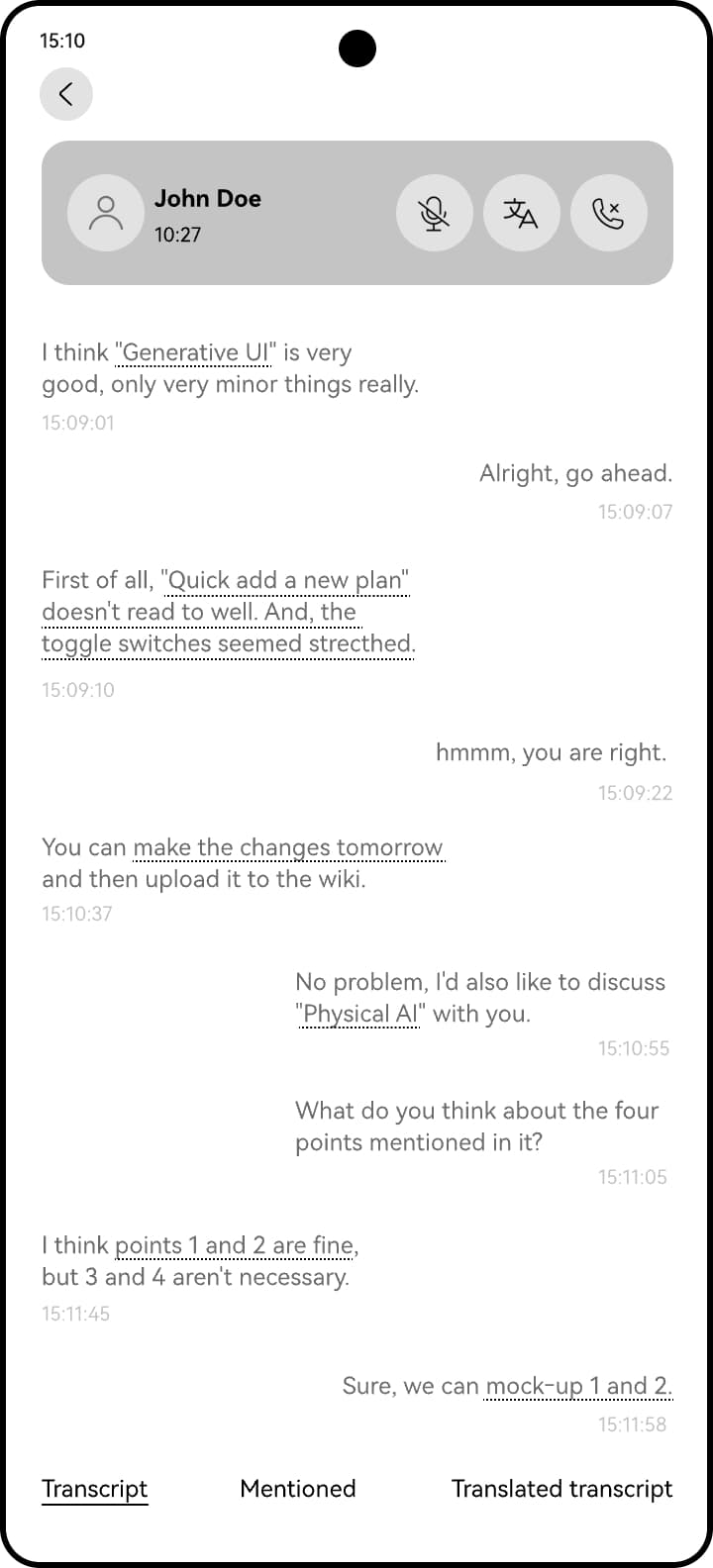
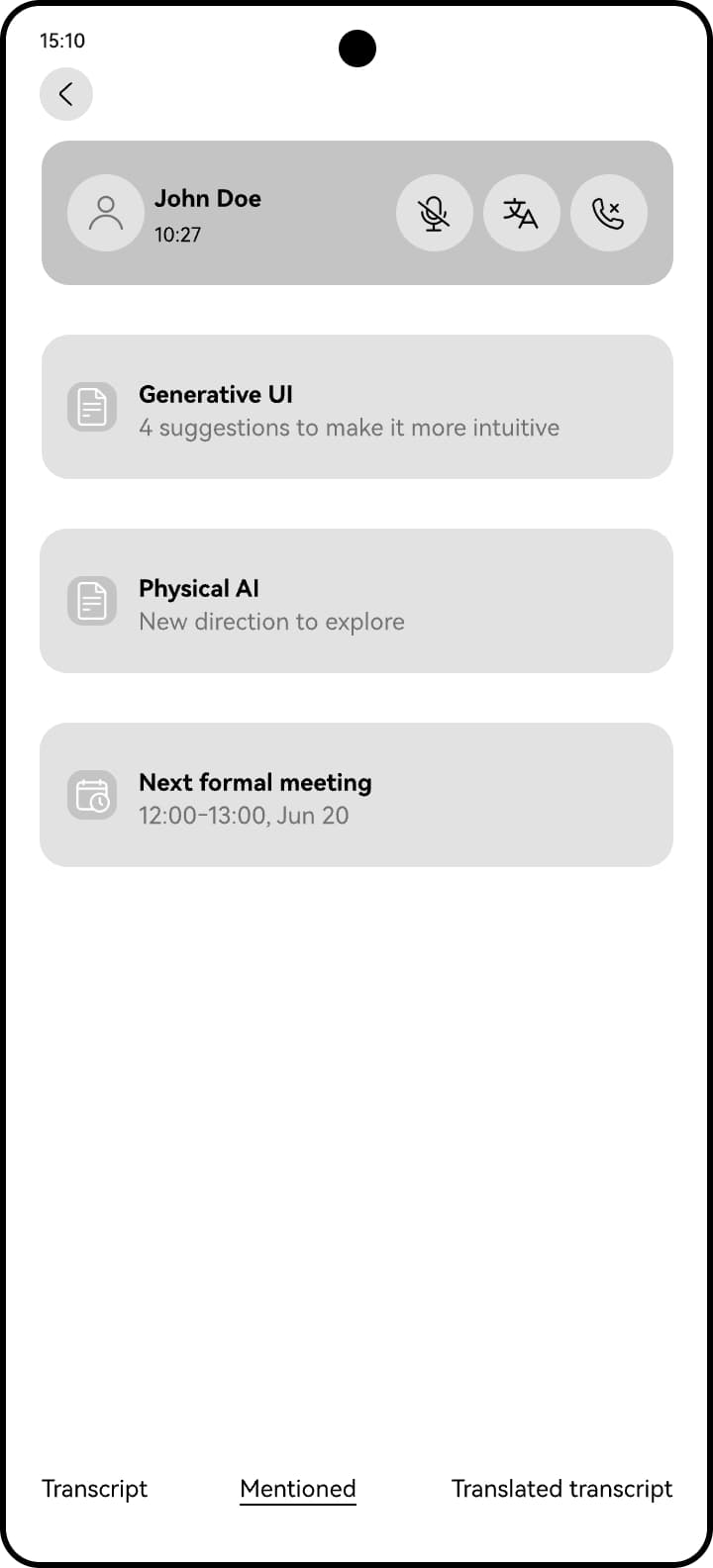
During the call
Lily sees matched entities and detected intents as she speaks. The Mentions section collects relevant items.
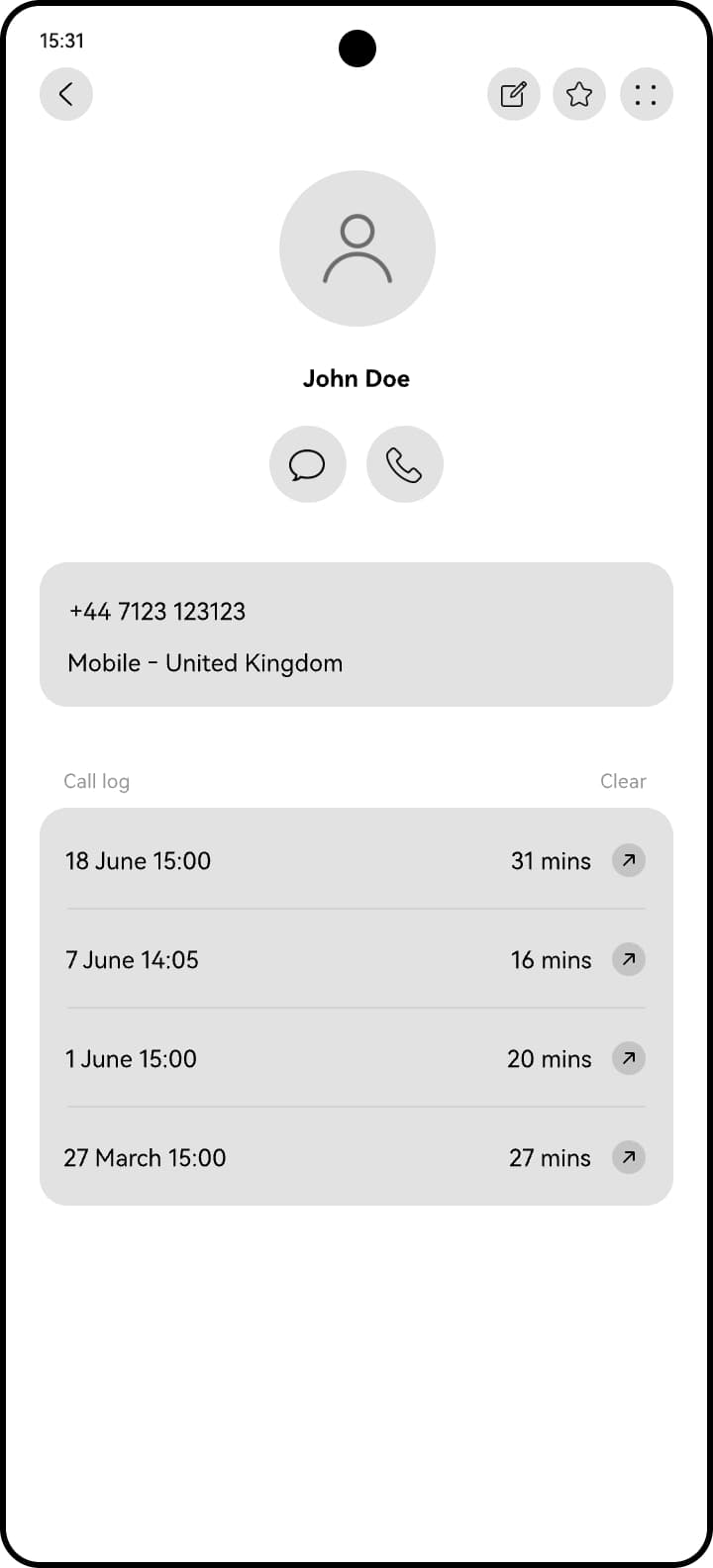
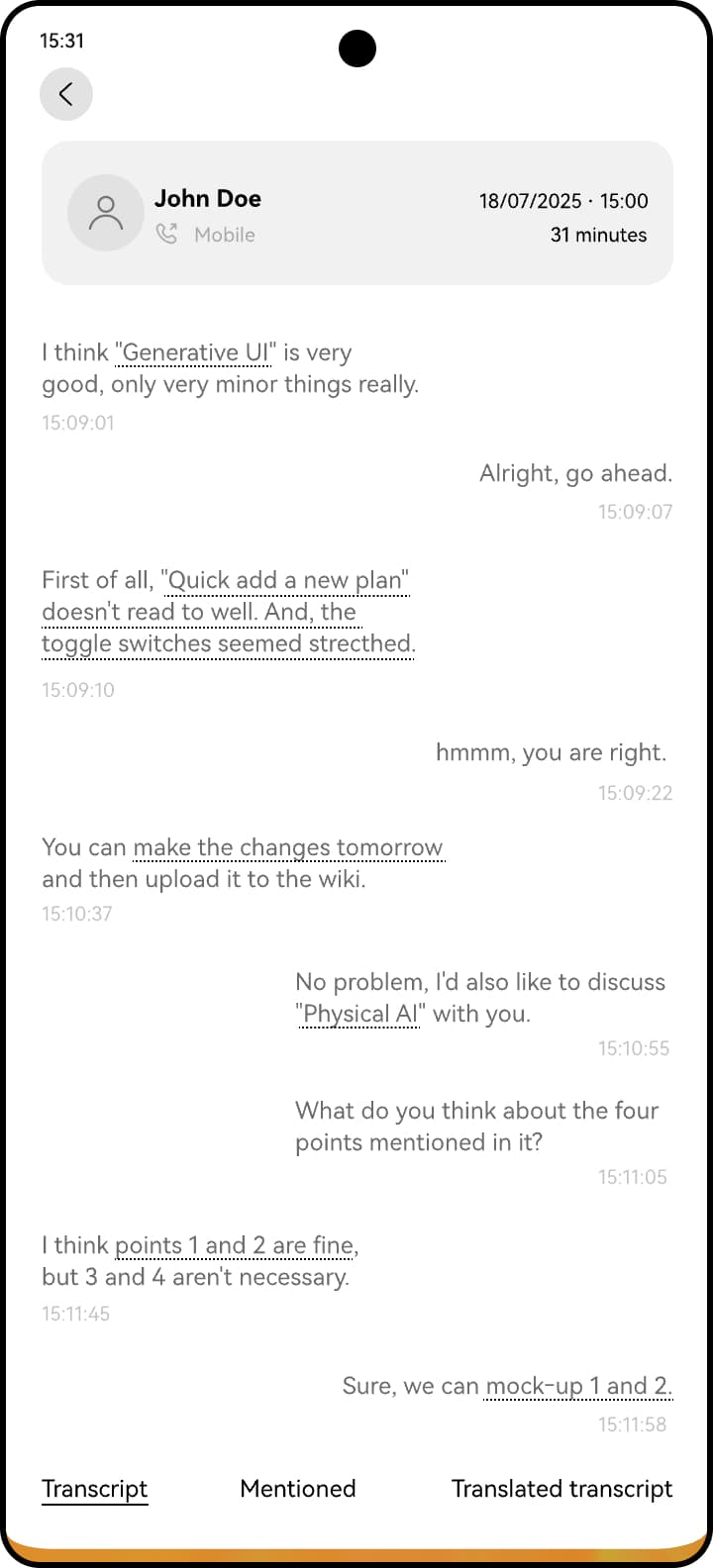
After the call
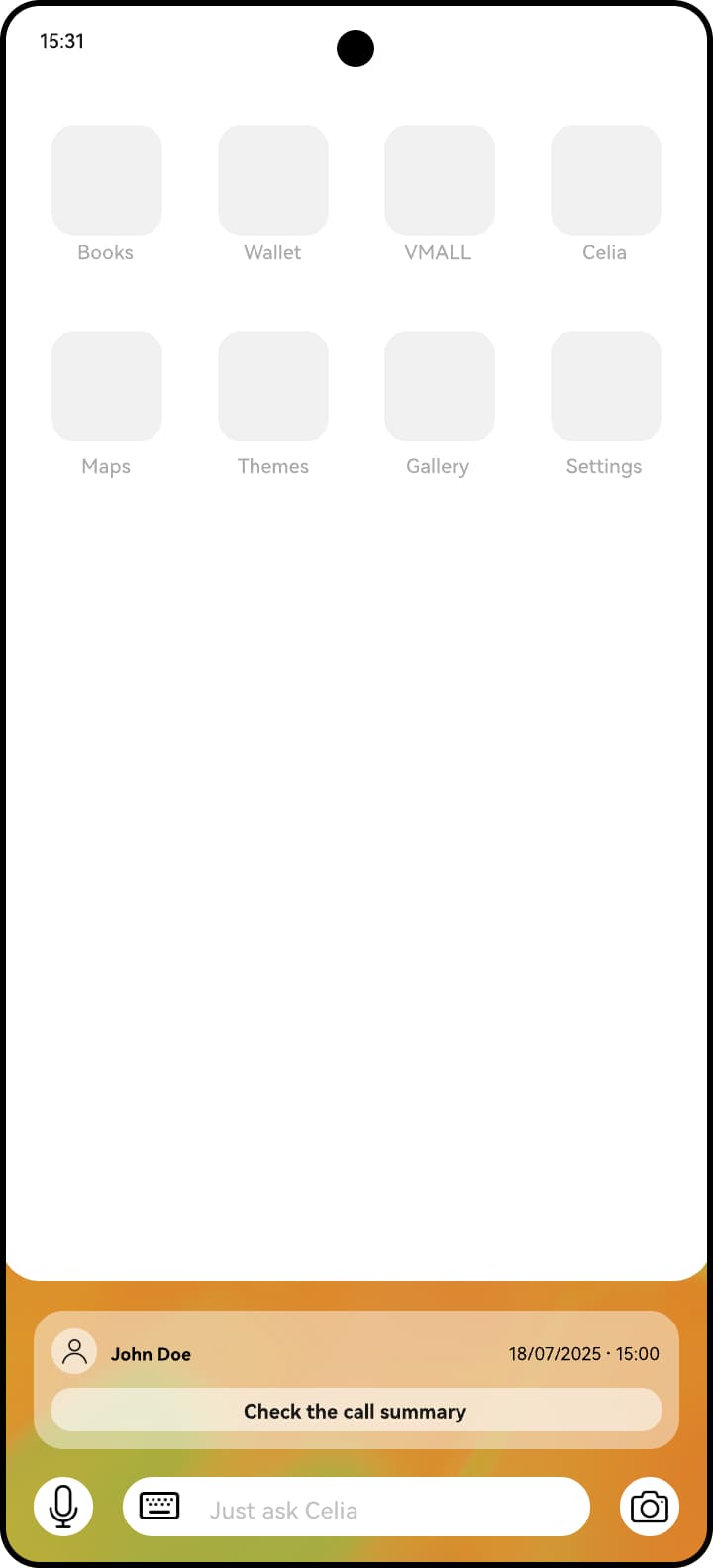
The call history, transcript and mentioned items remain available for review.
Create a goal
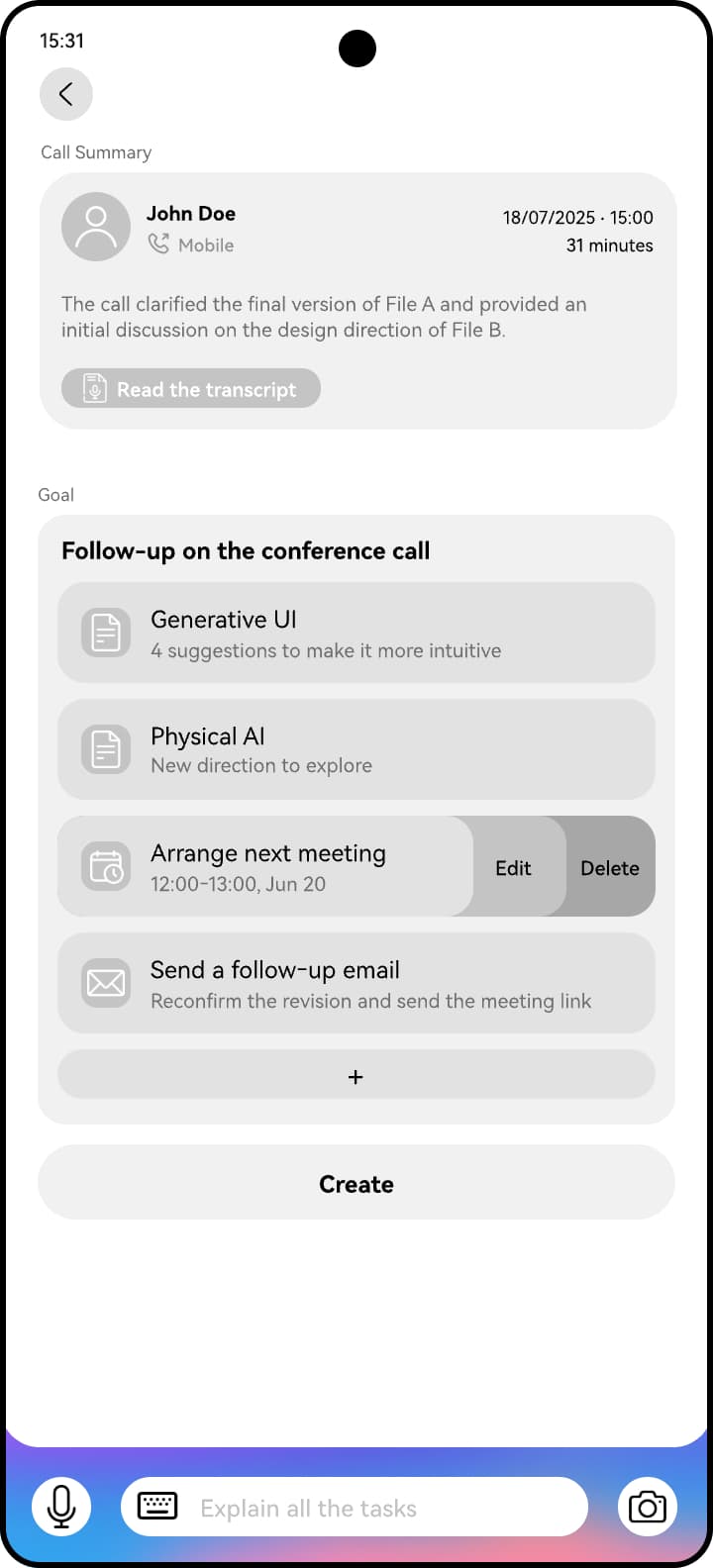
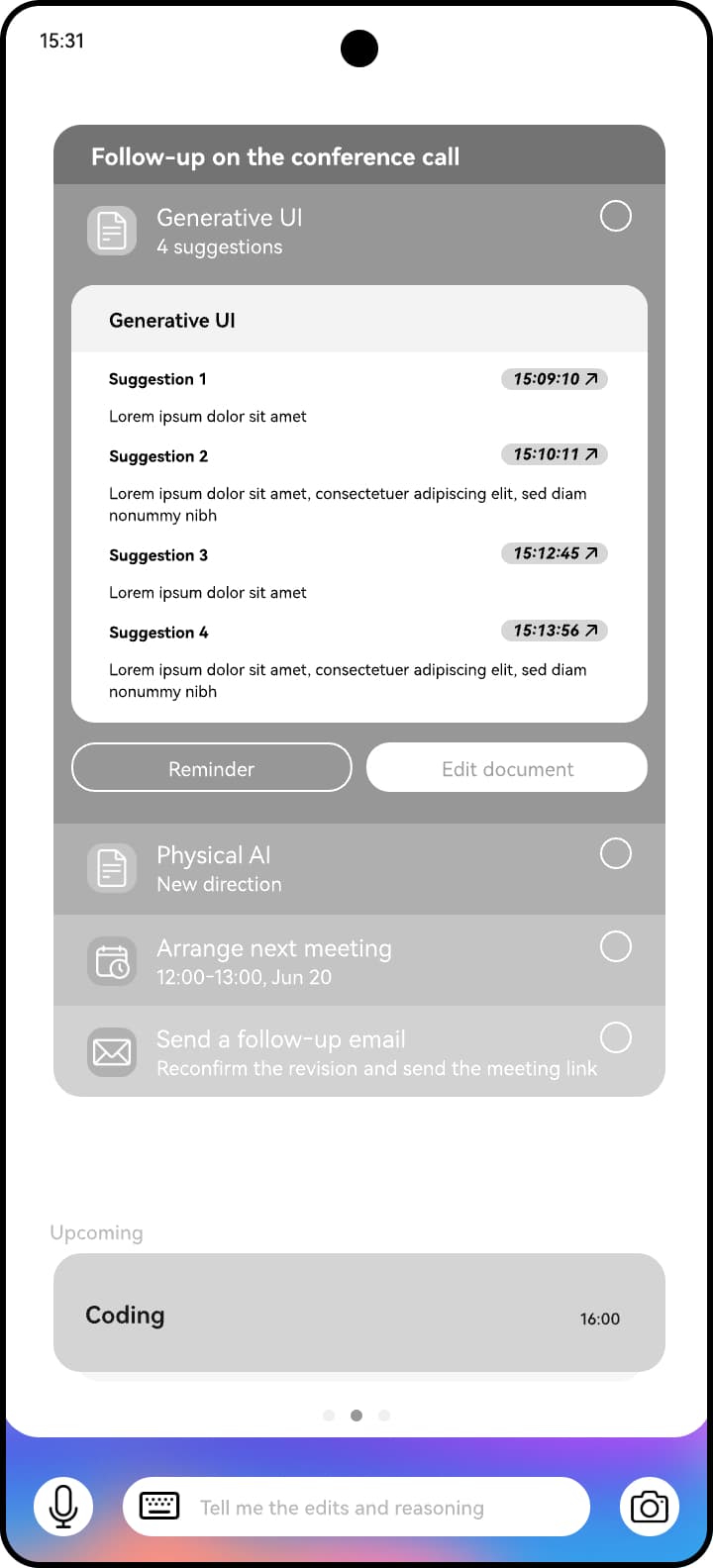
Lily can start from the Phone app, or Celia can suggest a goal. The system gathers the call context into proposed tasks that she can review, customise or add to.
Edit the document
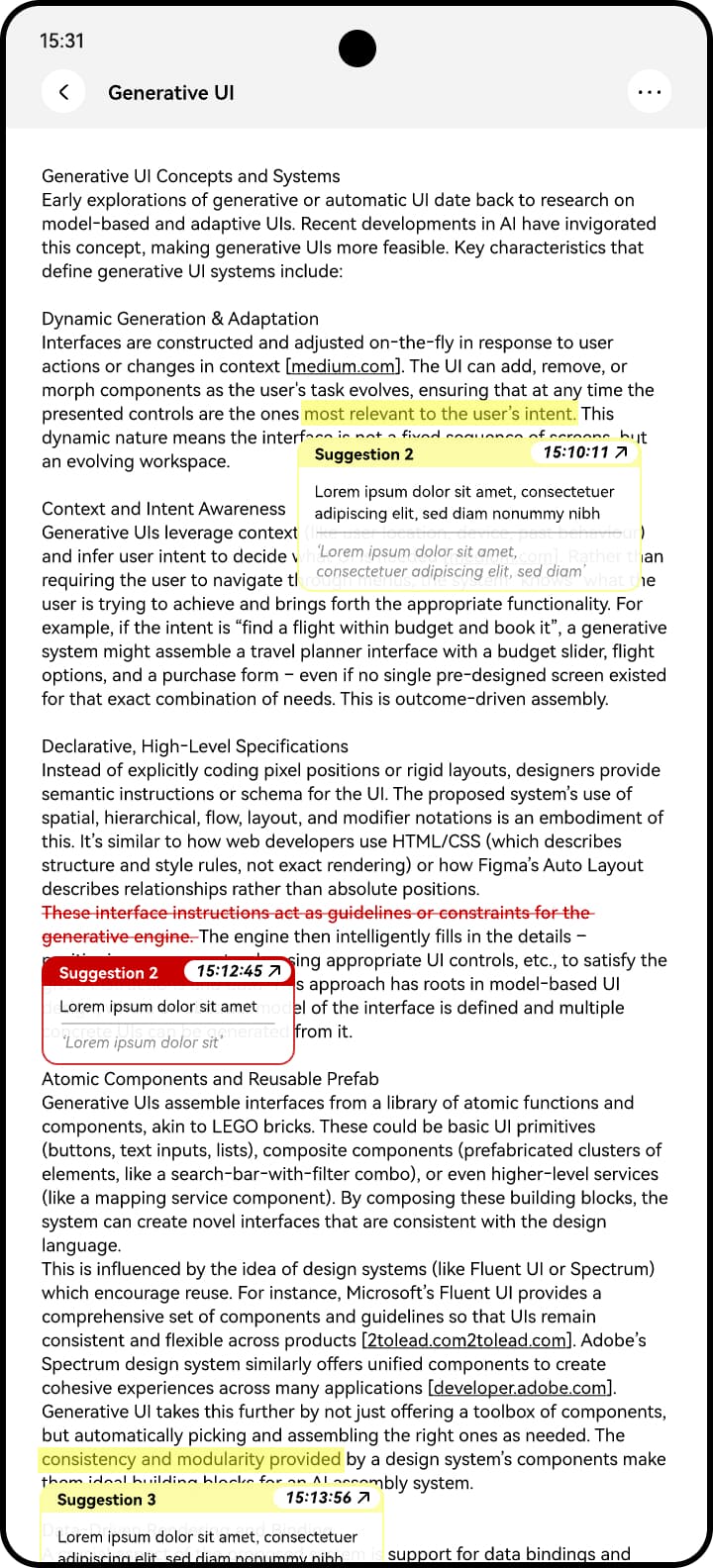
Celia identifies requested changes and presents them through the document's familiar track changes convention.
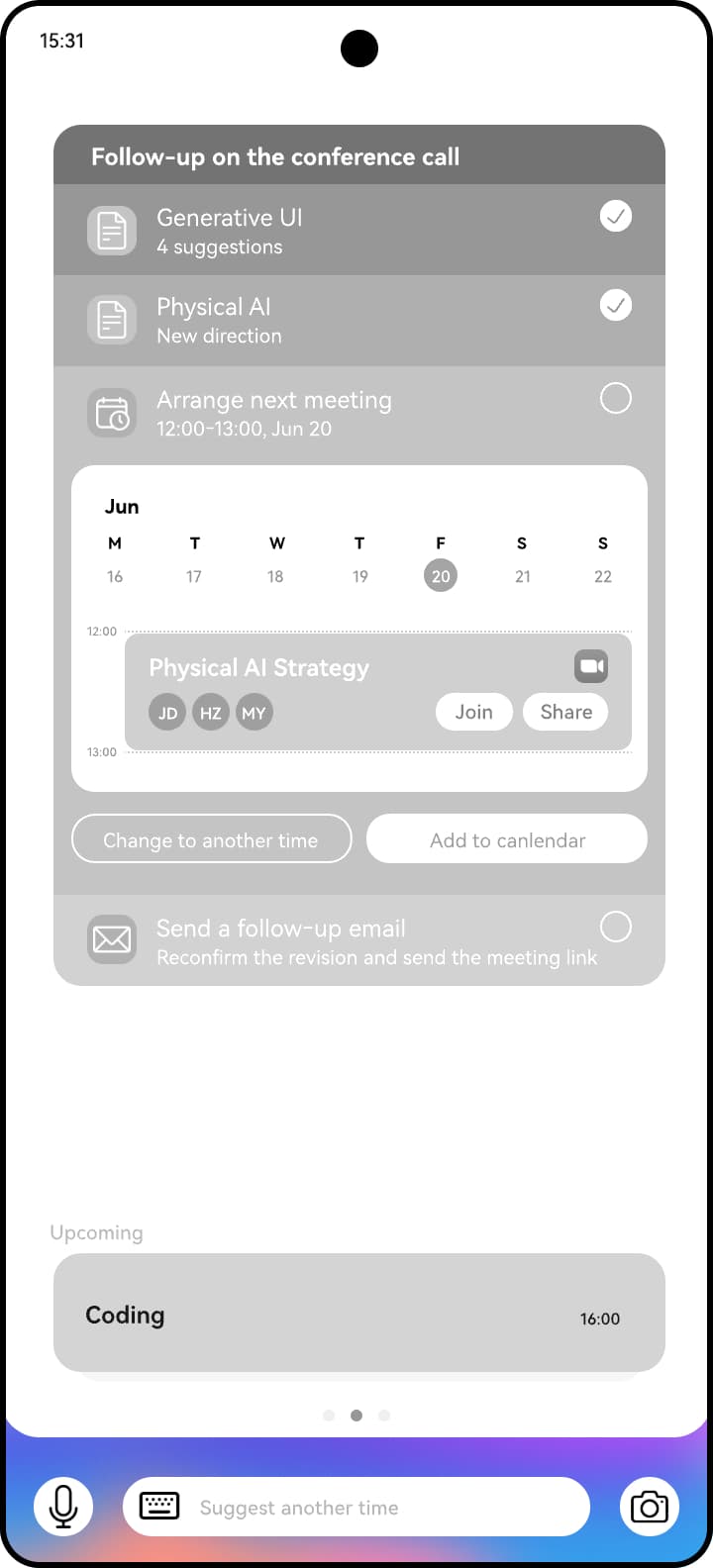
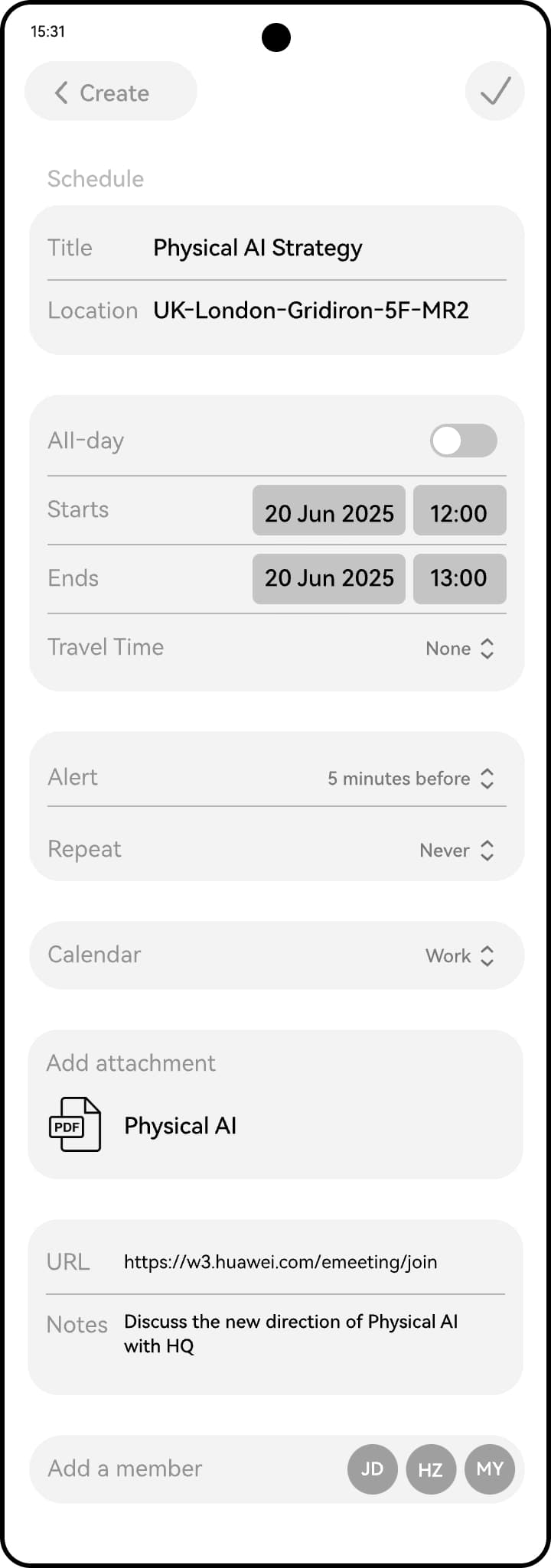
Coordinate a meeting
A calendar event is proposed and created in the existing Calendar app.
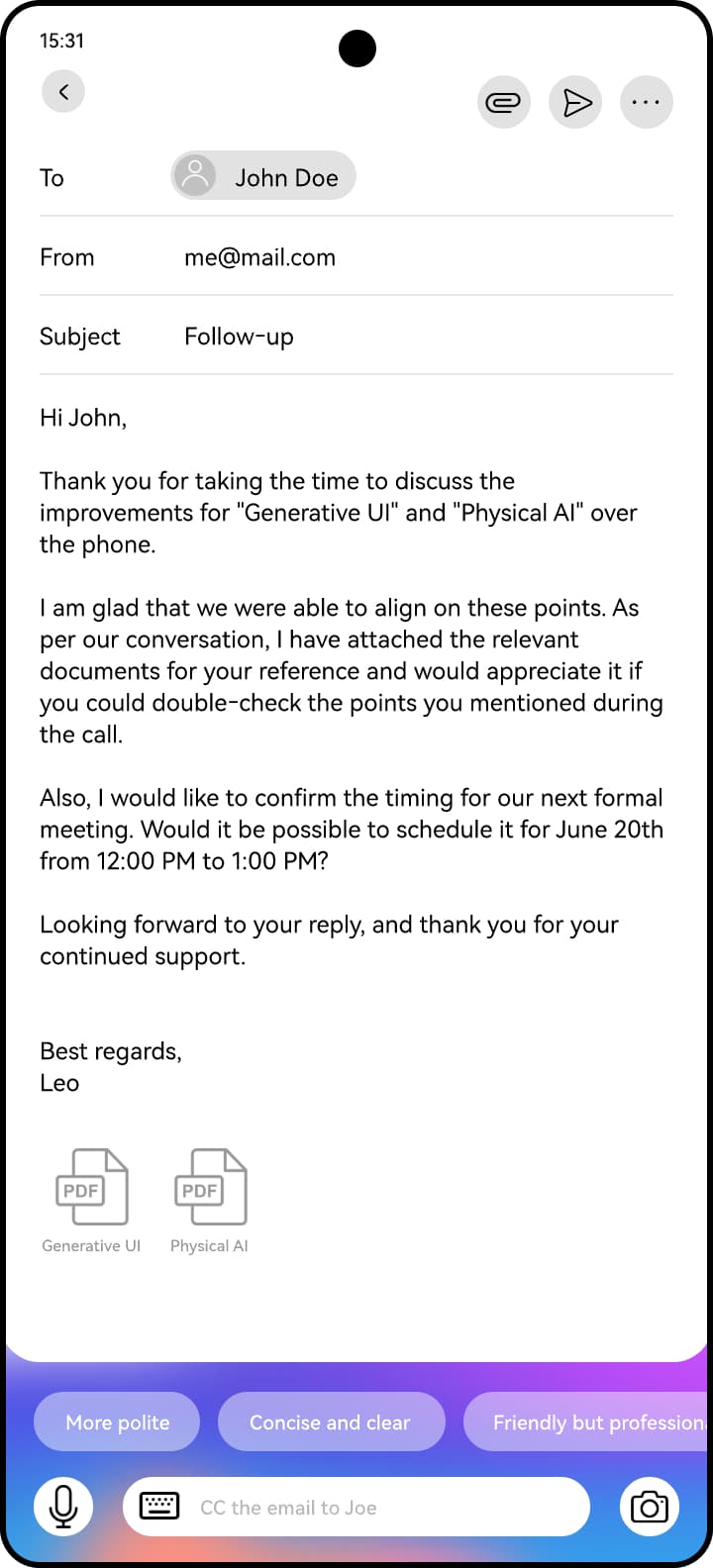
Complete the email
Celia drafts the follow-up, attaches the relevant documents and includes the proposed meeting. Writing-style suggestions remain available.
From personal context to proactive support
This conceptual, ongoing goal adapts its individual tasks as Lily's needs change. It was an exploration, not a released feature.
A personal signal
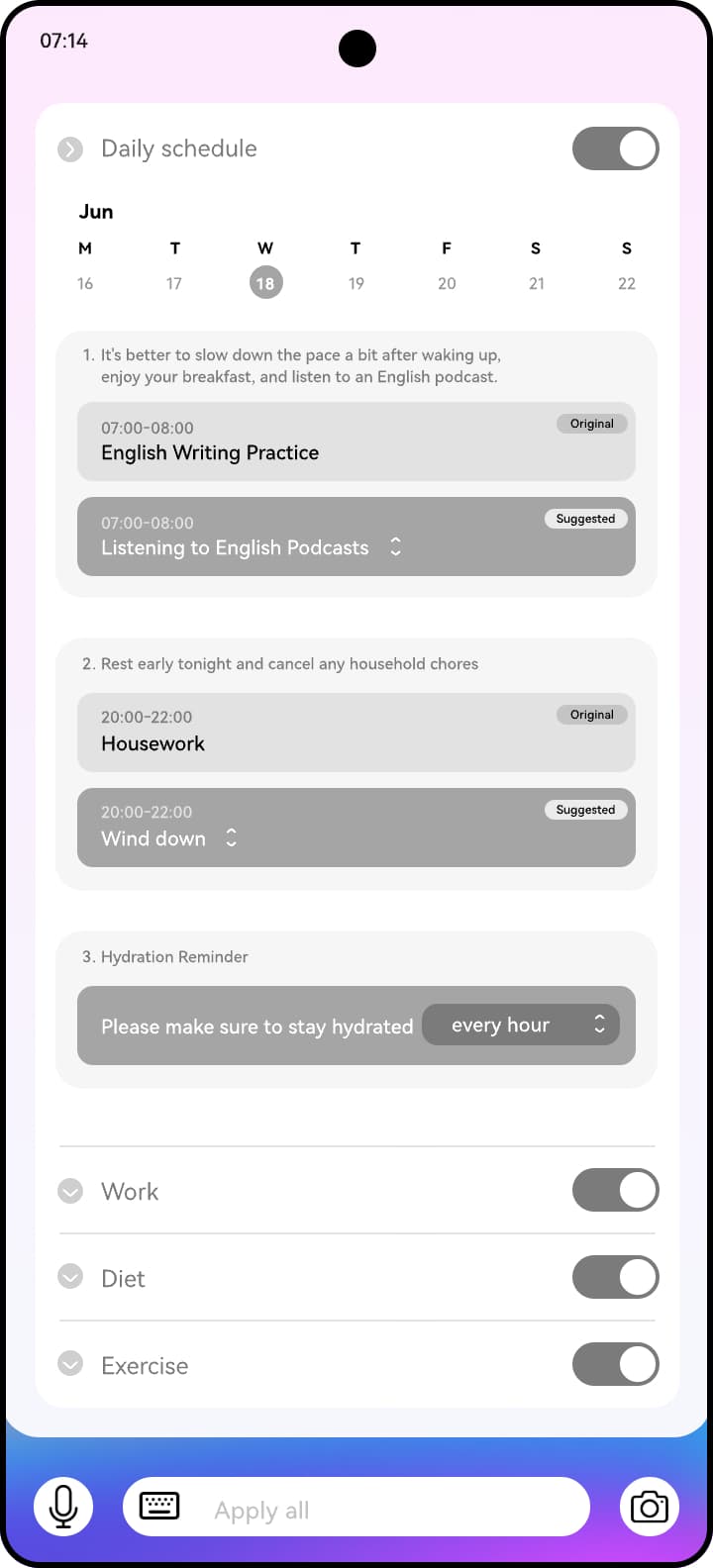
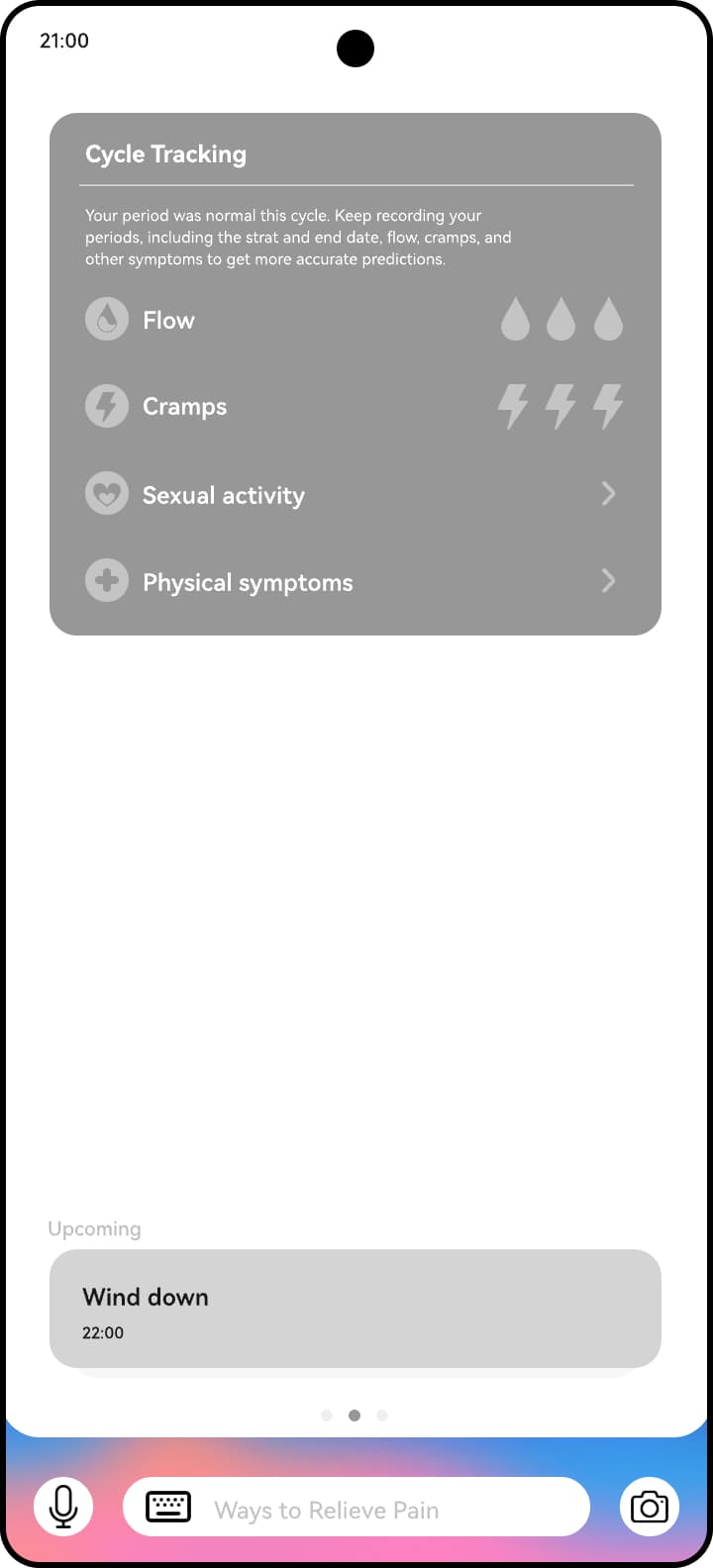
Lily tells Celia that her period has started. Celia proposes adjustments to her schedule, work, diet and exercise.
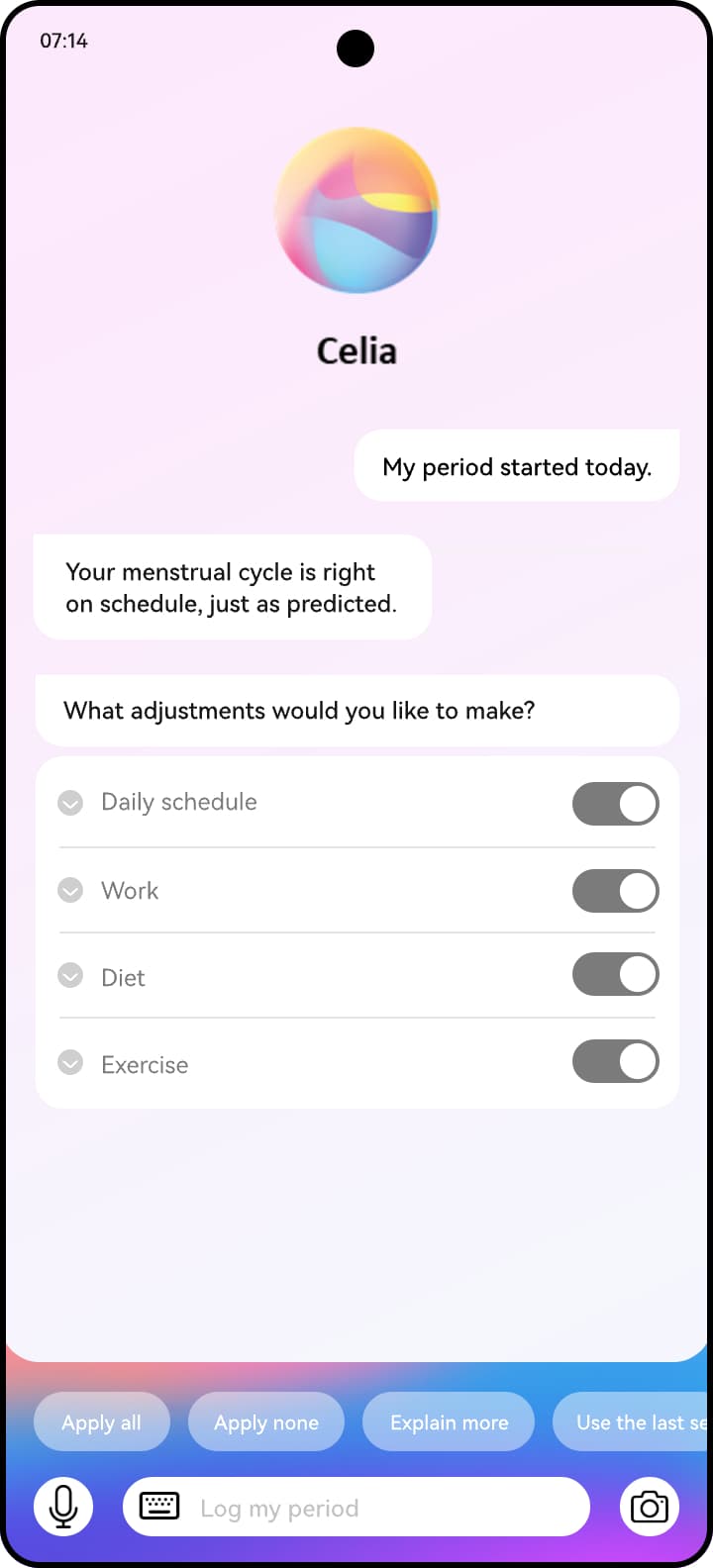
Review and tailor
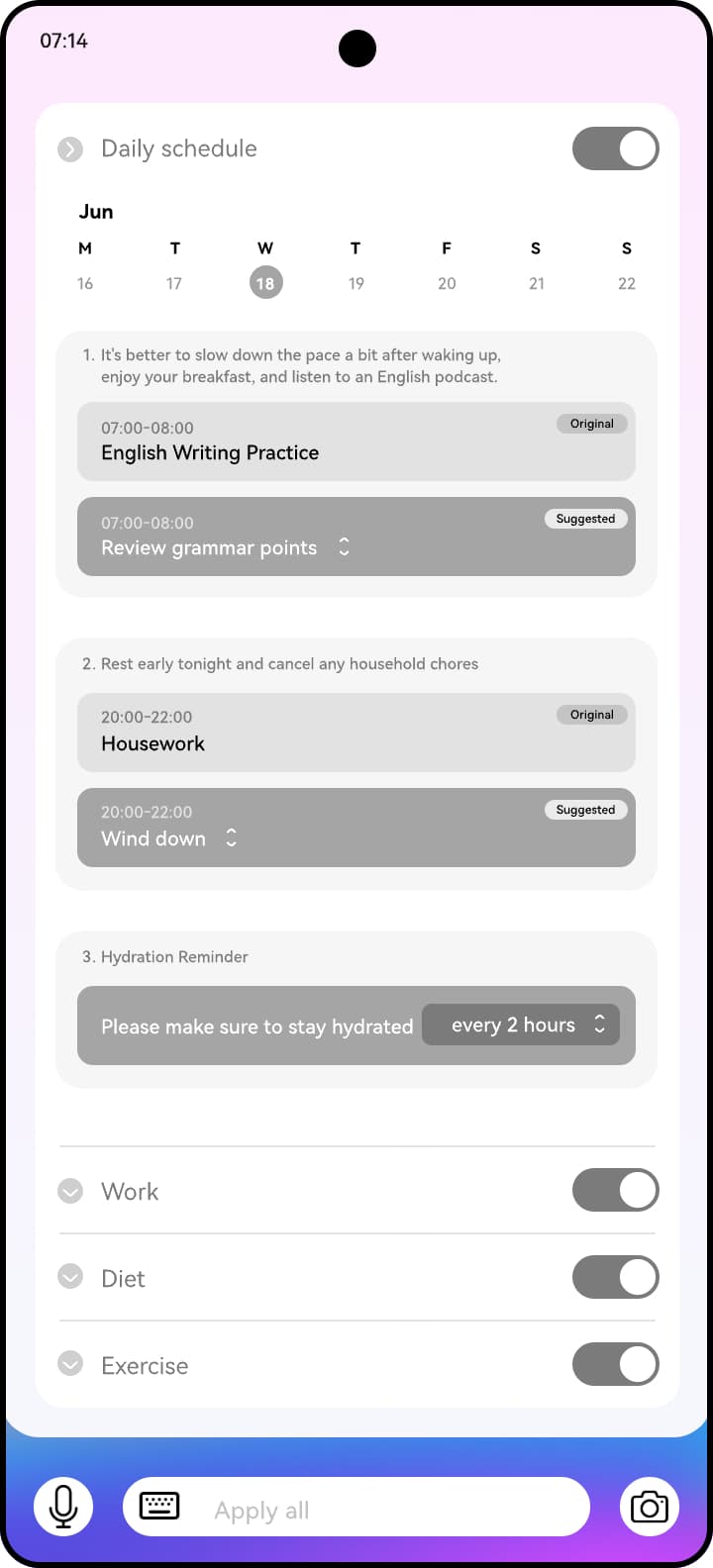
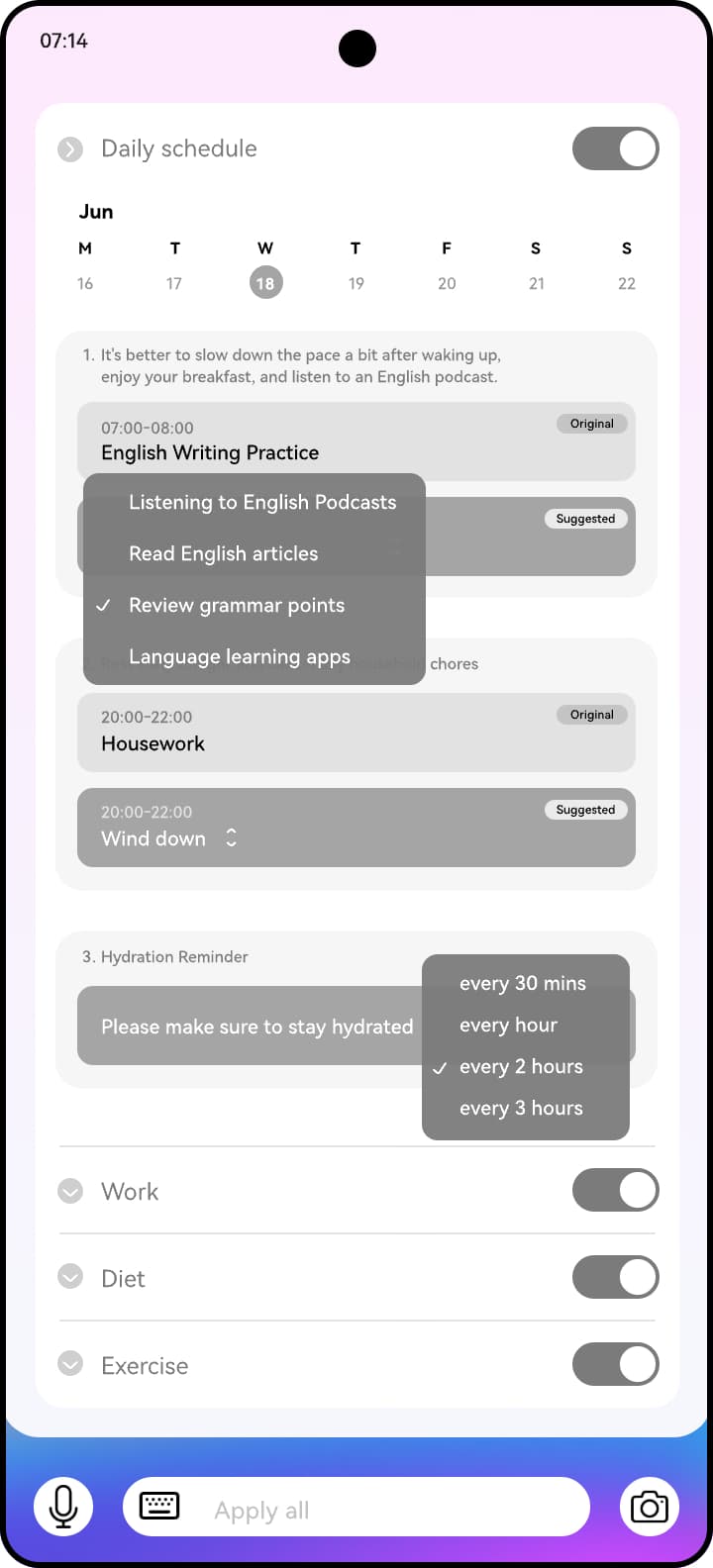
She can accept all recommendations or change individual suggestions. The same changes can be viewed in the apps that hold the information.
Support through the day
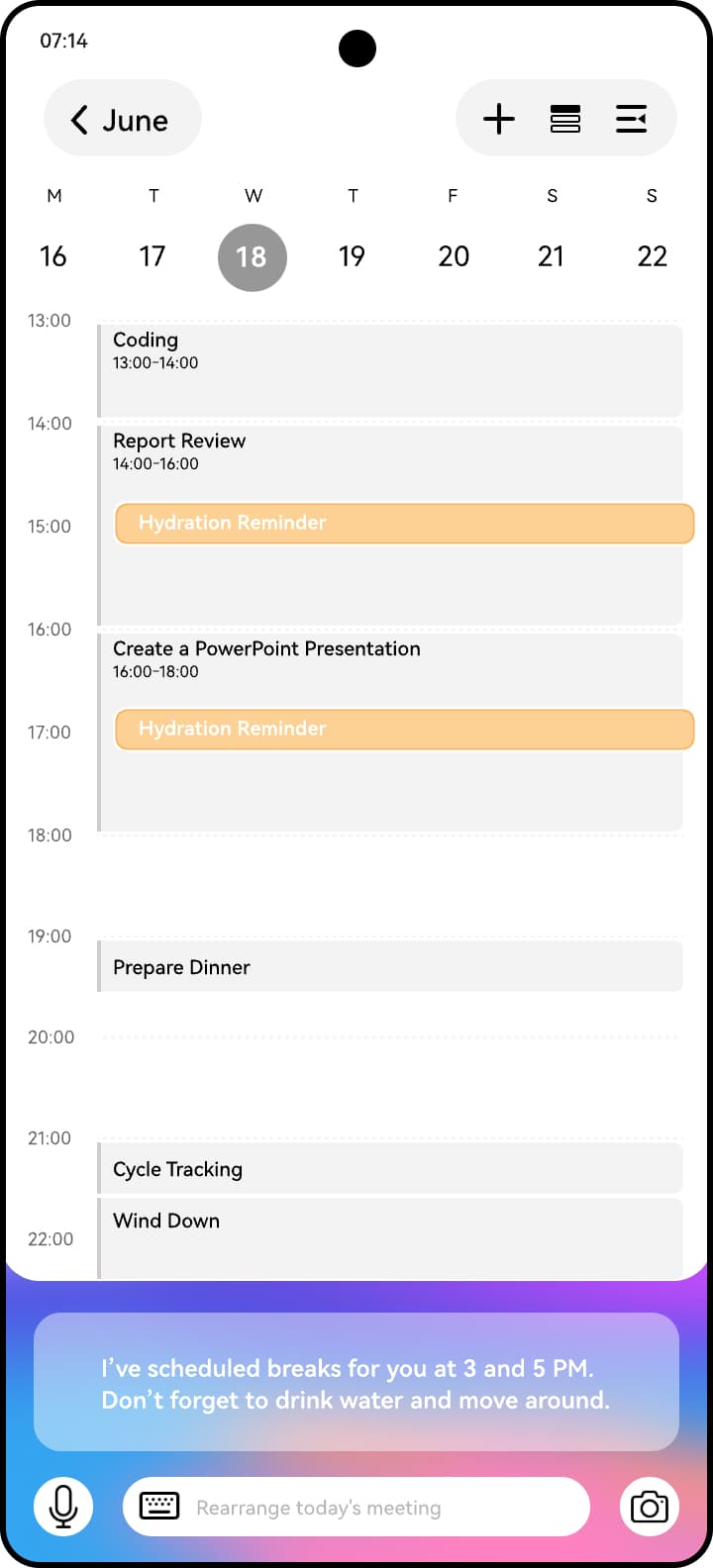
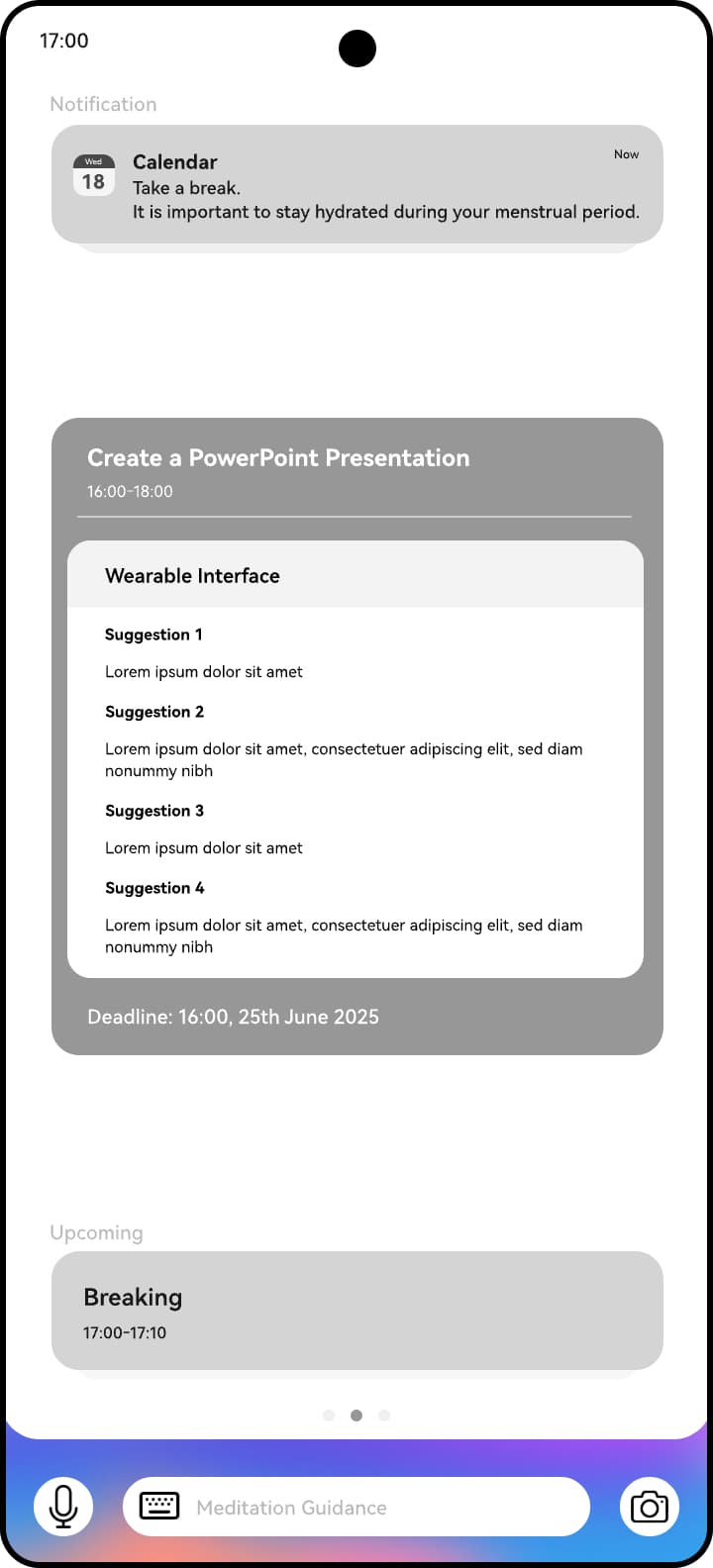
The goal view shows the current task and what comes next. A timely Calendar notification prompts a hydration break.
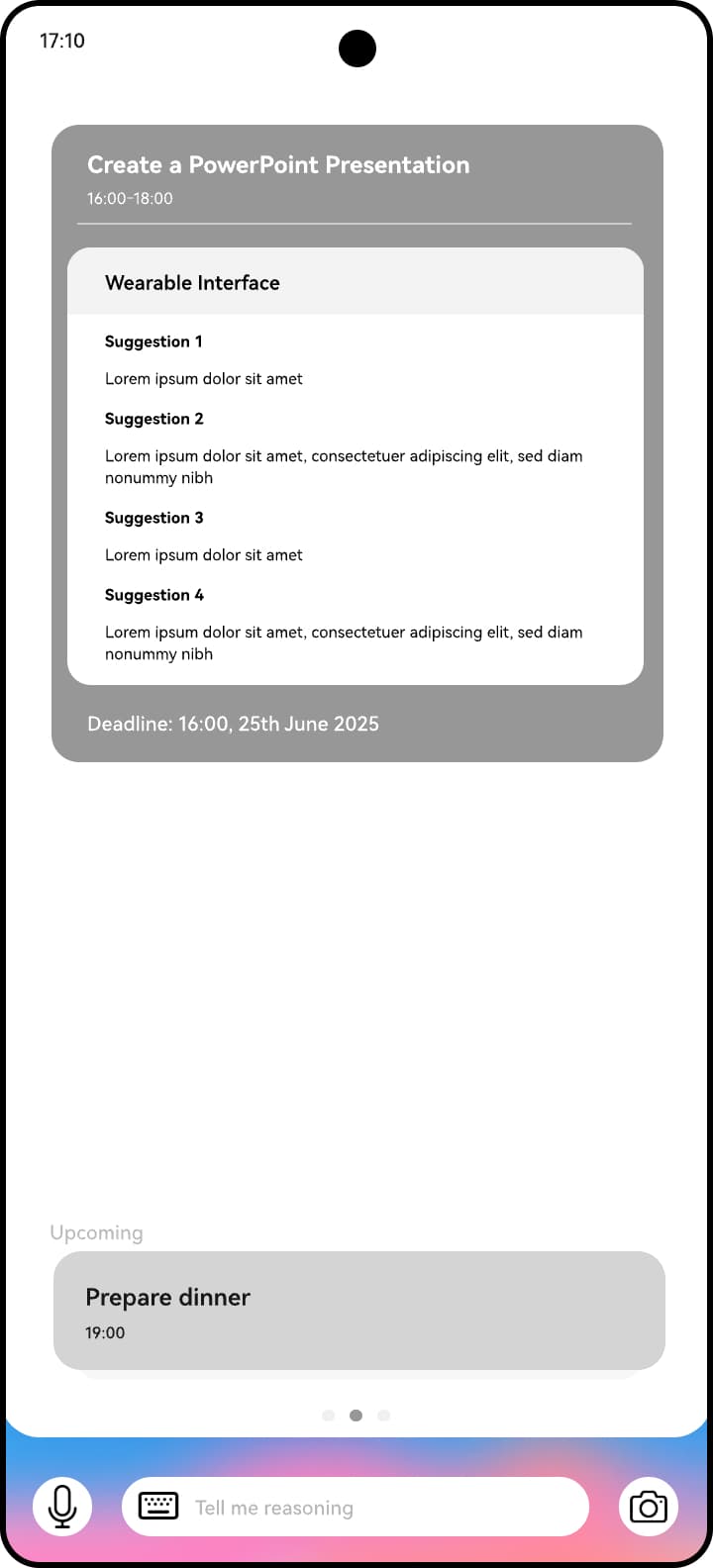
A generated task experience
An individual break opens a full-screen generative timer, shaped around that task.


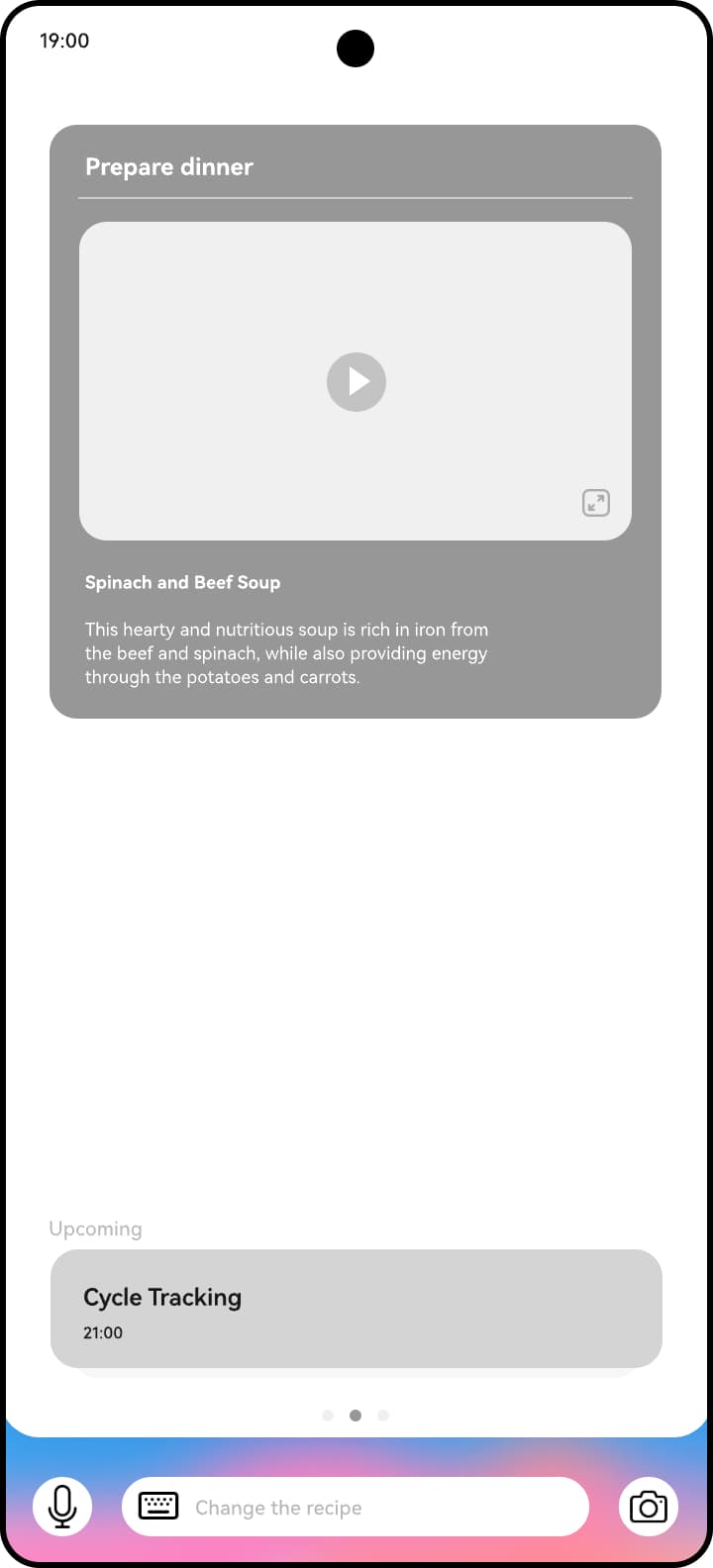
Dinner at the right moment
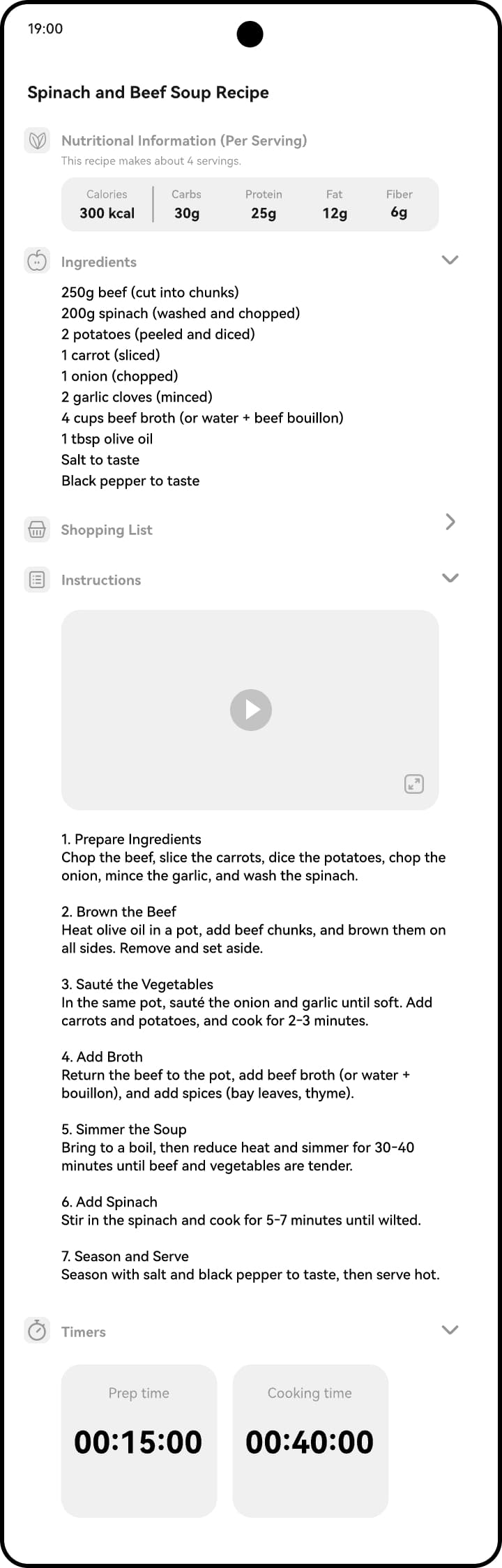
Celia surfaces a pre-planned recipe. A detailed view offers complementary actions such as timers and shopping lists, which can move to other devices.
Learn and continue
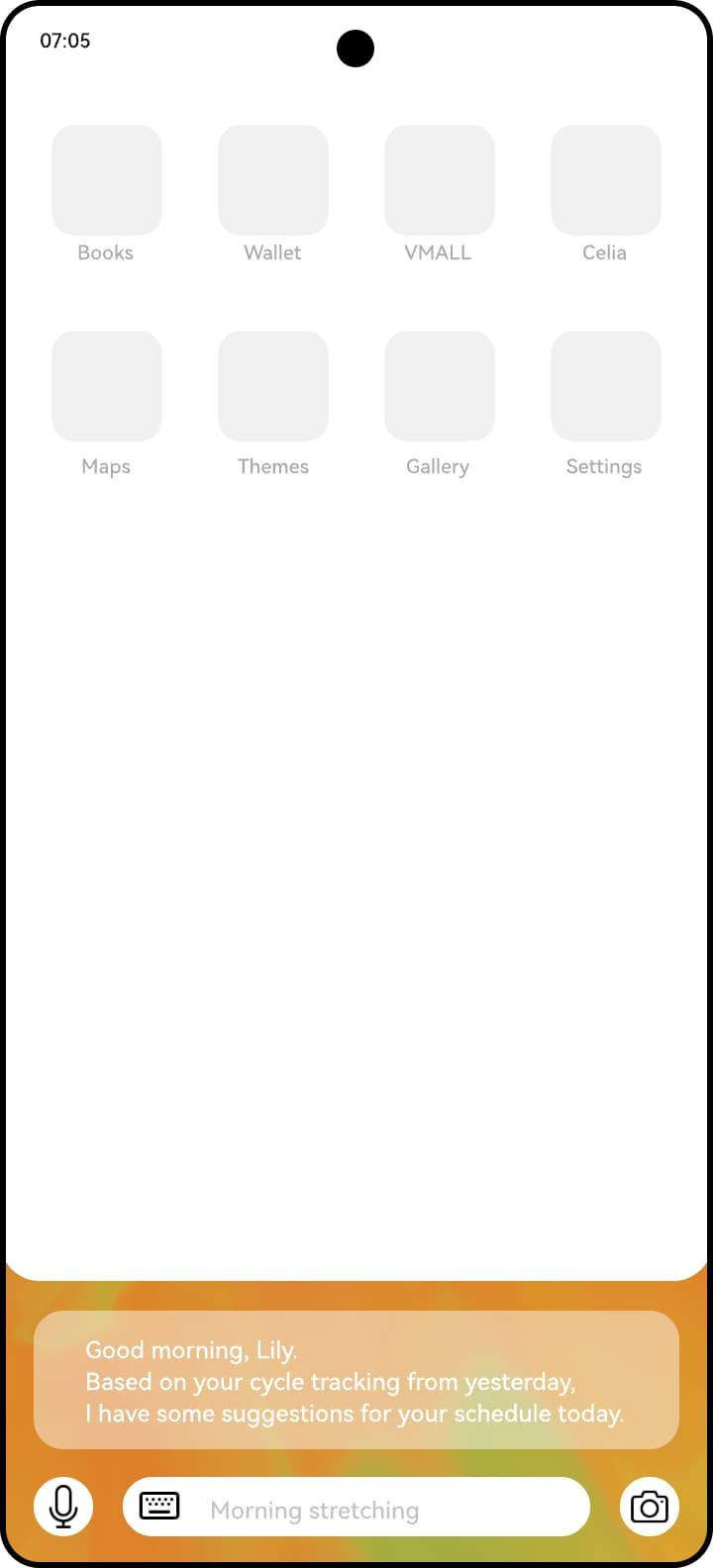
Lily logs her symptoms and how she feels. The next day, Celia offers updated support based on that information.
Design deliverables
The London HMI Laboratory's broader multidisciplinary work combined research documents, technical specifications and source code, design guidelines, working prototypes and proof-of-concept implementations. The project progressed from problem and component definitions through research and prototypes.
Core system components
Entity and intent matching, goal creation, instantiation, output, scheduling, portrait and tool selection.
Related explorations
Bloom's AI card language and physical AI concepts including Embody, Ling, Ting and Inner Voice formed part of the wider product family.
From proposal to product
The concept explored detecting entities and intents during and after calls, then turning that context into useful interactions. The broader Intent-first System and both journeys remain exploratory proposals. A related post-call capability reached the product.
Huawei implemented post-call AI summaries that recognise and provide contextual information about people, events and topics mentioned in conversations.